
Workspaces vs Modules Terraform: A Decision Guide
Explore the key differences between Terraform workspaces and modules, and learn how to choose the right approach for efficient state management.

Use modules when you need code reuse across services or environments. Use workspaces only when you need multiple state files for a single, identical configuration. That’s the whole decision in one sentence, and if you remember nothing else from this article, remember that: modules solve a code problem, workspaces solve a state problem, and confusing the two is where most Terraform architectures start to rot.
For production, the default I’d point almost any team toward is directory-per-environment plus modules, each environment wired to its own backend. That pattern isolates blast radius, keeps state files independent, and matches what HashiCorp’s own workspace documentation recommends once you’re past the experimentation phase.
Workspaces aren’t wrong, though. They’re just narrow. A CLI workspace is a fine tool in a few specific situations:
- You’re prototyping a module and want to spin up throwaway state without touching your real environments.
- You’re the only engineer on a small project and the infrastructure is genuinely identical across contexts.
- You’re running short-lived feature branch environments that get destroyed within days.
- You’re using Terraform Cloud/HCP workspaces, which behave very differently from CLI workspaces and are built for team-scale separation.
Outside those cases, treat workspaces as a convenience feature, not an architecture.
Key Takeaways
Modules solve code duplication across environments and services, while workspaces solve state isolation for a single, identical configuration, and conflating the two causes most production Terraform incidents.
| Point | Details |
|---|---|
| Default to modules-first | Build reusable modules and separate them from root configuration for any project touched by more than one engineer. |
| Isolate state by directory | Use directory-per-environment with independent backends instead of CLI workspaces for production systems. |
| Reserve workspaces for low stakes | Use CLI workspaces only for prototyping, single-developer projects, or short-lived branch environments. |
| Keep modules shallow | Limit nesting to one or two levels so audits and onboarding stay fast. |
| Start small with Devopsaitoolkit | Use Devopsaitoolkit’s automation prompts or infrastructure audits to scaffold a modules-first migration safely. |
Table of Contents
- What Are Terraform Modules and When Should You Write One?
- What Are Terraform Workspaces and What Do They Actually Manage?
- Modules vs Workspaces: A Side-by-Side Comparison
- How Do You Decide Between Modules and Workspaces for a Real Project?
- What Mistakes Do Teams Make Mixing Modules and Workspaces?
- How Do You Migrate From Workspaces to a Modules-First Setup?
- What I’ve Learned Watching This Choice Play Out on Real Teams
- Put These Patterns Into Practice Without Rebuilding Everything From Scratch
- Where to Read More on Terraform Structure and State
- Sources
What Are Terraform Modules and When Should You Write One?
A Terraform module is a reusable, parameterized collection of .tf files, usually built around a main.tf, variables.tf, outputs.tf, and a README.md that explains what it does and how to call it. You write it once, feed it different inputs, and get consistent infrastructure everywhere it’s used. That’s the entire value proposition: less duplicated code, more predictable output, and one place to fix a bug instead of five.
Every Terraform project has two kinds of configuration: the root module (the entry point Terraform actually runs) and any number of child modules it calls. The root module wires everything together. Child modules encapsulate the repeatable parts, things like a VPC, an ECS service, or an RDS instance with sane defaults baked in.
A typical repository for a team building reusable infrastructure looks something like this:
infra/
├── modules/
│   ├── vpc/
│   │   ├── main.tf
│   │   ├── variables.tf
│   │   └── outputs.tf
│   ├── ecs-service/
│   │   ├── main.tf
│   │   ├── variables.tf
│   │   └── outputs.tf
│   └── rds-postgres/
│       ├── main.tf
│       ├── variables.tf
│       └── outputs.tf
└── environments/
    ├── dev/
    ├── staging/
    └── prod/
Calling a module from a root configuration looks like this:
module "service" {
  source       = "../../modules/ecs-service"
  service_name = "billing-api"
  cpu          = 512
  memory       = 1024
  environment  = "prod"
}

output "service_url" {
  value = module.service.load_balancer_dns
}
The source argument points at the module’s location, whether that’s a local path, a Git repository, or a registry entry. Inputs come in as variables; outputs flow back out for other modules or the root config to consume.
So when do you build a module versus just writing resources directly in the root config? AWS’s prescriptive guidance on Terraform structure is useful here: create a module the moment you’re repeating a pattern across more than one environment or service, or when a resource group has enough internal complexity that isolating it improves readability. If it’s a one-off resource used exactly once, leave it in the root module. Wrapping a single S3 bucket in its own module just to say you have modules adds indirection without adding value.
A few practices separate maintainable module libraries from tangled ones, as explained in The Role of Software Modules in IT Systems | Netverge:
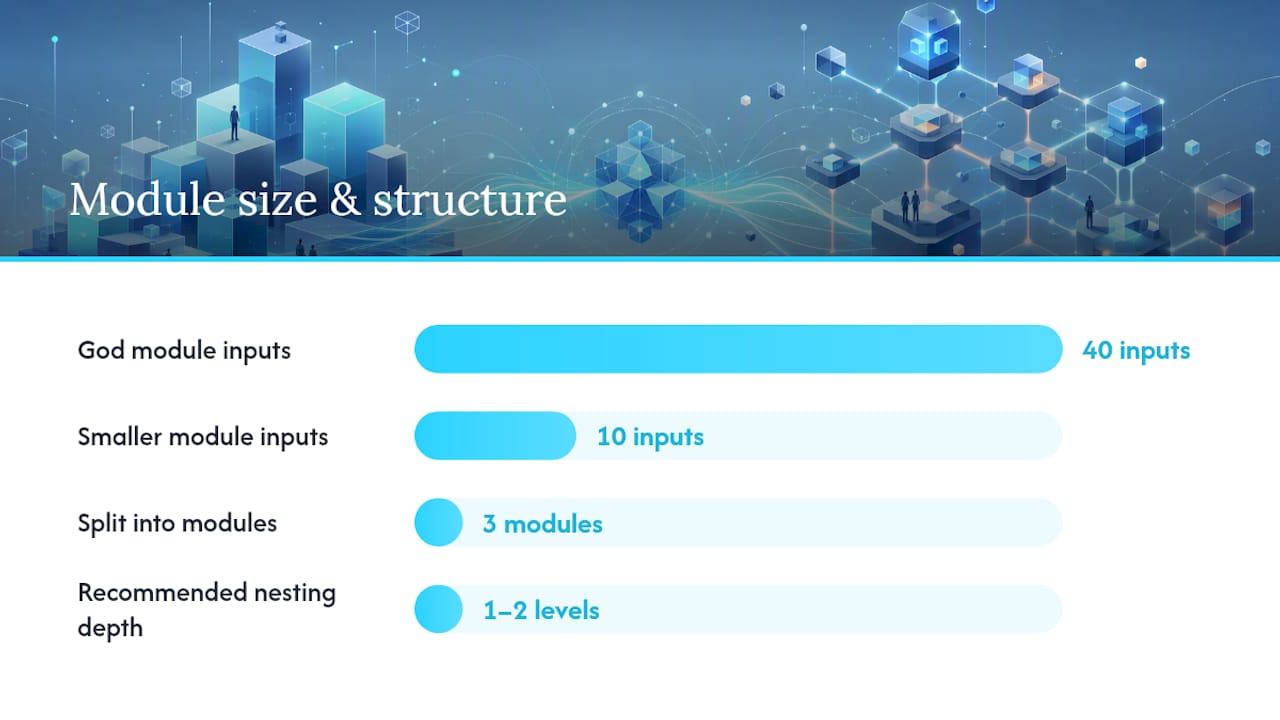
- Keep nesting shallow. One or two levels deep is plenty; a module that calls a module that calls a module is a debugging nightmare.
- Group by logical function, not by resource type. A
networkingmodule that owns VPC, subnets, and route tables reads better than three separate modules for each. - Version your modules if you’re using a registry or shared Git repo, so a breaking change in one team’s module doesn’t silently break another team’s environment.
- Write the README first. If you can’t explain a module’s inputs and outputs in five lines, it’s probably doing too much.
Pro Tip: Resist the urge to build a “god module” that handles every possible configuration with dozens of optional variables. A module with 40 inputs is harder to reason about than three smaller modules with 10 inputs each. Discoverability matters more than flexibility.
What Are Terraform Workspaces and What Do They Actually Manage?
A Terraform workspace creates a separate state file for the same configuration, all within a single working directory. That’s it. Workspaces don’t change your .tf files, your variable definitions, or your provider blocks. They change which state Terraform reads and writes when you run a plan or apply, according to HashiCorp’s own CLI workspaces documentation.
This is where a lot of confusion starts, because “workspace” means two very different things depending on context.
CLI workspaces are a local feature of open-source Terraform. They live inside one backend, and switching between them just points Terraform at a different state file namespace within that same backend. There’s no separate configuration, no independent variable set beyond what you inject manually, and no built-in guardrails preventing you from running terraform apply against the wrong one.
Terraform Cloud/HCP workspaces are a completely different animal. Each one is closer to an independent working directory: its own variable sets, its own run history, its own state, and its own access controls. According to HashiCorp’s comparison of Stacks and workspaces, HCP workspaces manage a single root module and its state, while Stacks exist specifically for orchestrating multiple related components at scale, something CLI workspaces were never designed to do.
Here’s what CLI workspace commands actually look like in practice:
terraform workspace listshows every workspace in the current backend, with an asterisk marking the active one.terraform workspace new stagingcreates a fresh state context called “staging.”terraform workspace select stagingswitches your active context without touching your files.terraform workspace showconfirms which workspace is currently active before you run anything destructive.
That fourth command matters more than it looks. I’ve seen terraform apply fired off against a workspace nobody double checked, because the terminal from an hour ago still had “prod” selected in a different tab. The command runs fine. It’s just running against the wrong state.
The practical risk with CLI workspaces is that they share one backend and one set of credentials by default. There’s no structural wall between “dev” and “prod” the way there is when they live in separate directories with separate backend configs. If your backend has an outage or gets misconfigured, every workspace built on it is exposed at once.
A single shared backend holding multiple workspace state files is a single point of failure. It also raises the odds of running an apply against the wrong context, because nothing in the command line stops you from doing it.
Pro Tip: Before any apply in a CLI-workspace setup, run terraform workspace show as a habit, not a courtesy. It costs three seconds and it’s the cheapest insurance against a very expensive mistake.
Modules vs Workspaces: A Side-by-Side Comparison
| Dimension | Modules | Workspaces (CLI) |
|---|---|---|
| Primary purpose | Code reuse and abstraction | State isolation for one configuration |
| What they encapsulate | Configuration (resources, variables, outputs) | State files, not configuration |
| Typical use cases | Shared VPC, service, database patterns across teams/environments | Prototyping, short-lived branches, single-developer testing |
| Scale / production suitability | Built for production at any scale | Suited to small or ephemeral setups; risky at production scale |
| Examples / commands | module "x" { source = "../modules/x" } | terraform workspace new/select/show |
| Risks / limitations | Over-nesting hides logic; poor versioning breaks consumers | Shared backend risk, easy to apply against wrong context |
| CI/CD / backend implications | Pairs naturally with per-environment backends and pipelines | Complicates pipeline logic since backend stays constant |
The one-line verdict: if your environments differ in any meaningful way, or if more than one person touches the infrastructure, reach for modules with directory separation. Reserve workspaces for cases where the infrastructure is genuinely identical and the stakes of a mistake are low.
How Do You Decide Between Modules and Workspaces for a Real Project?
Run through this decision flow before you write a single backend block:
- Is the infrastructure identical across every context you need? If yes, and you’re the only person operating it, a CLI workspace is acceptable.
- Do environments differ in instance sizes, resource counts, or feature flags? If yes, workspaces stop making sense. Move to directory-per-environment.
- Will more than one engineer or team touch this infrastructure? If yes, you want the auditability that separate directories and separate state files provide, regardless of how similar the environments look today.
- Do you need strict access control per environment? If yes, either separate backends with distinct IAM policies, or Terraform Cloud/HCP workspaces, which support this natively.
For most production systems, the pattern Google Cloud’s Terraform best practices recommend, and the one I’d build toward by default, looks like this:
infra/
├── modules/
│   └── network/
├── environments/
│   ├── dev/
│   │   ├── main.tf
│   │   └── backend.tf   # backend: s3, key: dev/terraform.tfstate
│   ├── staging/
│   │   ├── main.tf
│   │   └── backend.tf   # backend: s3, key: staging/terraform.tfstate
│   └── prod/
│       ├── main.tf
│       └── backend.tf   # backend: s3, key: prod/terraform.tfstate
Each environment gets its own S3 bucket key (or entirely separate bucket) and its own DynamoDB table for state locking. Nothing is shared. A misconfiguration in staging can’t touch prod’s state file, because they’re not in the same file at all.
On the CI/CD side, promote changes through branches or pull requests, with plans running automatically on PR open and applies gated behind manual approval for anything touching staging or prod. Our GitLab CI and Terraform pipeline guide walks through wiring that up in practice, including how to structure jobs so a plan against dev can run unattended while prod always waits for a human.
Before rolling this out, run through a short checklist:
- Every environment has its own backend configuration, not a shared one split by workspace.
- Modules are versioned or pinned to a commit hash, not floating on a branch.
- CI pipelines gate applies behind review for any environment above dev.
- State locking is enabled everywhere, not just in production.
- Nobody has local credentials broad enough to apply against every environment from their laptop.
Pro Tip: Map modules to the teams that own them, not to the resources they contain. A “checkout-service” module owned by the checkout team ages a lot better than a generic “compute” module six teams quietly depend on. If you eventually need to orchestrate many of these modules together across environments, look at Terraform Cloud Stacks rather than trying to force CLI workspaces into that job.
What Mistakes Do Teams Make Mixing Modules and Workspaces?
Most of the incidents I’ve seen trace back to a handful of repeated patterns, and none of them are exotic.
- Using CLI workspaces to separate production from staging. This is the single most common misstep, and community discussion on the topic backs up what HashiCorp’s own docs already warn about: a shared backend behind multiple workspaces is a fragile way to protect your most important environment.
- Deeply nested modules. Three or four levels of module calling module makes a
terraform planoutput nearly unreadable, and onboarding a new engineer to that codebase takes days instead of hours. - Conditional logic keyed off
terraform.workspace. Sprinklingif terraform.workspace == "prod"throughout your configuration recreates the exact duplication modules exist to eliminate, just hidden inside conditionals instead of separate files. - Treating a shared backend as fine because “it’s always worked.” It works right up until it doesn’t, and when it fails, every environment sharing that backend fails with it.
Here’s how each of these plays out when something actually breaks:
- A shared-backend incident means your incident response starts with “which workspace was even active,” which is time you don’t have during an outage.
- Deeply nested modules turn a routine audit into an archaeology project, since tracing a resource back to its actual configuration means walking through several layers of indirection.
- Workspace-conditional logic makes
terraform planoutput misleading, because the same file behaves differently depending on invisible context, which is exactly what auditors and new hires trip over first.
Mitigation is mostly about removing ambiguity: separate backends per environment, shallow module trees, and configuration differences expressed through explicit variables passed into modules rather than conditionals scattered through shared files. Our comparison of workspaces and directory-based separation goes deeper into exactly where each pattern breaks down in practice.
How Do You Migrate From Workspaces to a Modules-First Setup?
If you’ve got an existing project leaning on CLI workspaces and want to move to directory-per-environment, here’s the practical path.
Start by mapping your current structure:
infra/
├── main.tf
├── variables.tf
└── backend.tf   # one shared backend, multiple workspaces: dev, staging, prod
Target structure:
infra/
├── modules/
│   └── service/
│       ├── main.tf
│       ├── variables.tf
│       └── outputs.tf
└── environments/
    ├── dev/
    ├── staging/
    └── prod/
A sample module call in the new prod/main.tf:
module "service" {
  source      = "../../modules/service"
  environment = "prod"
  instance_count = 4
}
Migration steps, in order:
- Extract shared resource logic into a module under
modules/, using variables for anything that currently differs by workspace (instance counts, sizing, tags). - Create the new environment directories, each with its own backend configuration pointing at a distinct state key or bucket.
- Use
terraform state mvto move resources from the old workspace-scoped state into the new environment-specific state file, one resource or module at a time rather than all at once. - Run
terraform planagainst the new directory before any apply, and confirm it shows zero changes, meaning the state migration was clean and nothing will be recreated. - Only after validation, decommission the old workspace with
terraform workspace selectback to it, confirm nothing else depends on it, and delete it.
Following HashiCorp’s own guidance on refactoring monolithic configurations here saves a lot of guesswork, since it walks through the exact state surgery involved in splitting one big configuration into smaller root modules.
Test the entire migration in a sandbox account first. A clean
terraform planin a throwaway environment tells you the state move will work; a clean plan in production tells you nothing until you’ve already run it.
Pro Tip: Migrate one environment at a time, starting with dev. If something goes wrong with the state move, you want the blast radius to be your least critical environment, not the one customers depend on.
What I’ve Learned Watching This Choice Play Out on Real Teams
My honest read after watching this decision get made, and remade, across plenty of infrastructure setups: teams that default to modules plus directory-per-environment almost never regret it, and teams that lean hard on CLI workspaces for production almost always end up migrating away from it within a year or two, usually right after an incident makes the shared-backend risk concrete instead of theoretical. Workspaces feel efficient early on because they save you from writing a few extra directories, but that saved setup time gets paid back with interest the first time someone applies against the wrong context or a backend hiccup takes out every environment at once. The teams that avoided that pain weren’t smarter about Terraform. They just treated state isolation and code reuse as two separate problems from day one, instead of asking one feature to solve both. The safest projects I’ve seen also shared a few habits that had nothing to do with modules or workspaces directly: mandatory state locking, a review culture where nobody applies to prod without a second set of eyes on the plan output, and modules kept small enough that a new engineer could read one end to end in ten minutes. None of that is exotic. It’s just consistently applied discipline, which turns out to matter more than which Terraform feature you picked in the first place.
Put These Patterns Into Practice Without Rebuilding Everything From Scratch
Shifting from workspace-based state to a modules-first, directory-per-environment setup takes real engineering hours, and every pipeline gate you add to protect production is time spent away from shipping features. Devopsaitoolkit builds prompt libraries and automation guides specifically for the Terraform, GitLab, and Kubernetes work described above, so you’re not starting the refactor from a blank editor.

If you’re planning a migration away from CLI workspaces, the automation prompt library has copy-paste prompts for generating module scaffolding and CI pipeline gates without writing every .tf file by hand. For teams that want a second set of eyes on the whole architecture before rollout, DevOps AI ToolKit offers infrastructure audits that catch shared-backend risks and over-nested modules before they cause an incident. Check the pricing page to see which engagement fits your team’s current sprint, and start with the smallest environment first.
Where to Read More on Terraform Structure and State
Consult these before finalizing any architecture decision, since backend behavior and best practices evolve as HashiCorp and cloud providers update guidance.
- Terraform CLI workspaces | HashiCorp Developer covers exactly what CLI workspaces do and HashiCorp’s own cautions about using them for environment separation.
- Best practices for root modules | Terraform on Google Cloud lays out the directory-per-environment pattern with concrete examples.
- Comparing Stacks and workspaces in HCP Terraform | HashiCorp Developer explains when Terraform Cloud workspaces or Stacks fit better than CLI workspaces.
- Refactor monolithic Terraform configuration | HashiCorp Developer walks through splitting a single configuration into modules and environment directories.
- Structure for modularity | AWS prescriptive guidance for Terraform details module organization, nesting limits, and registry usage.
- What is the difference between modules and workspaces in Terraform? | DevOps Stack Exchange offers practitioner perspective on where workspaces fall short at production scale.
Sources
- Terraform CLI workspaces | HashiCorp Developer
- Best practices for root modules | Terraform on Google Cloud
- Refactor monolithic Terraform configuration | HashiCorp Developer
- Structure for modularity | AWS prescriptive guidance for Terraform
Recommended
- Terraform Workspaces vs Directories: When Each One Makes
- Auditing Terraform Workspace State Isolation Before It Bites
- Ansible vs Terraform: When to Use Each (and Together)
- The Best Way to Learn Terraform for Real Infrastructure
Get 500 Battle-Tested DevOps AI Prompts — Free
500 battle-tested, copy-paste AI prompts engineered by a senior systems engineer — every one with fill-in placeholders and safety/back-out notes. Drop your email and it's yours.
- 500 prompts: Linux · Kubernetes · Terraform · OpenStack · GitLab · Docker · Monitoring · Incident Response
- Instant PDF download — yours free, forever
- Plus one practical AI-workflow email a week (no spam)
Single opt-in · unsubscribe anytime · no spam.