
Why Kubernetes Namespaces Matter for Platform Engineers
Understand why Kubernetes namespaces are vital for platform engineers, enabling better resource management and team delegation in clusters.

Namespaces let you partition a single Kubernetes cluster into logical workspaces that scope names, anchor policy, and enable delegated management. Without them, every team shares one flat address space, ResourceQuotas have nowhere to attach, and RBAC becomes a cluster-wide blunt instrument. The Kubernetes docs describe namespaces as the way to divide a single cluster into multiple virtual clusters — and that framing is exactly right. They are the unit of delegated management: give a team a namespace, attach a Role, a ResourceQuota, and a NetworkPolicy, and you have handed them a bounded workspace without giving them the keys to the whole cluster.
Key Takeaways
Namespaces are the unit of delegated management in Kubernetes: every governance control — RBAC, ResourceQuota, NetworkPolicy — attaches to a namespace, and a namespace without those controls is just a name scope.
| Point | Details |
|---|---|
| Namespaces scope names, not security | They prevent name collisions and anchor policy, but do not isolate network or kernel resources by default. |
| Attach controls at creation | Apply RBAC, ResourceQuota, LimitRange, and a default-deny NetworkPolicy when the namespace is created, not after. |
| Avoid versioning by namespace | Use labels within a namespace to distinguish versions; namespace-per-version causes proliferation and management overhead. |
| Deletion is irreversible | kubectl delete namespace cascades to all namespaced objects with no undo; protect production namespaces with RBAC and deletion annotations. |
| Devopsaitoolkit playbooks | Ready-made namespace templates, RBAC bundles, and CI/CD automation are available at Devopsaitoolkit for engineers who want a governed starting point. |
Table of Contents
- Why Kubernetes namespaces matter: the technical foundation
- When should you create a dedicated namespace?
- What namespaces protect you from — and what they don’t
- Which Kubernetes objects are namespaced and why that matters
- How DNS and service discovery work across namespaces
- How namespaces enable delegated management: RBAC, ResourceQuota, LimitRange, and NetworkPolicy
- Operational best practices and common anti-patterns for namespace strategy
- Concrete kubectl commands and workflow for namespaces
- Practical examples: dev/staging/prod pipelines, tenant isolation, and platform delegation
- Enforcing namespace policies with Kyverno, NetworkPolicy, and admission controls
- Common problems and how to diagnose them
- What platform teams consistently get wrong
- Namespace playbooks and policy templates from Devopsaitoolkit
- Primary sources and further reading
- Sources
Why Kubernetes namespaces matter: the technical foundation
A namespace is a scope for the names of namespaced API objects. Two Pods named api-server can coexist in the same cluster as long as they live in different namespaces. The fully qualified identity of any namespaced object is namespace/name, and the API enforces uniqueness only within that boundary.
kubectl respects namespaces through the -n flag or a context-level default. Setting kubectl config set-context --current --namespace=team-a means every subsequent command targets team-a unless you override it. That context-level default is easy to forget, which is one reason explicit -n flags in scripts are safer than relying on context.
Namespaced vs. cluster-scoped objects
| Object type | Namespaced? |
|---|---|
| Pod, Deployment, Service | Yes |
| ConfigMap, Secret, PVC | Yes |
| Node, StorageClass, PersistentVolume | No |
| ClusterRole, CRD, Namespace itself | No |
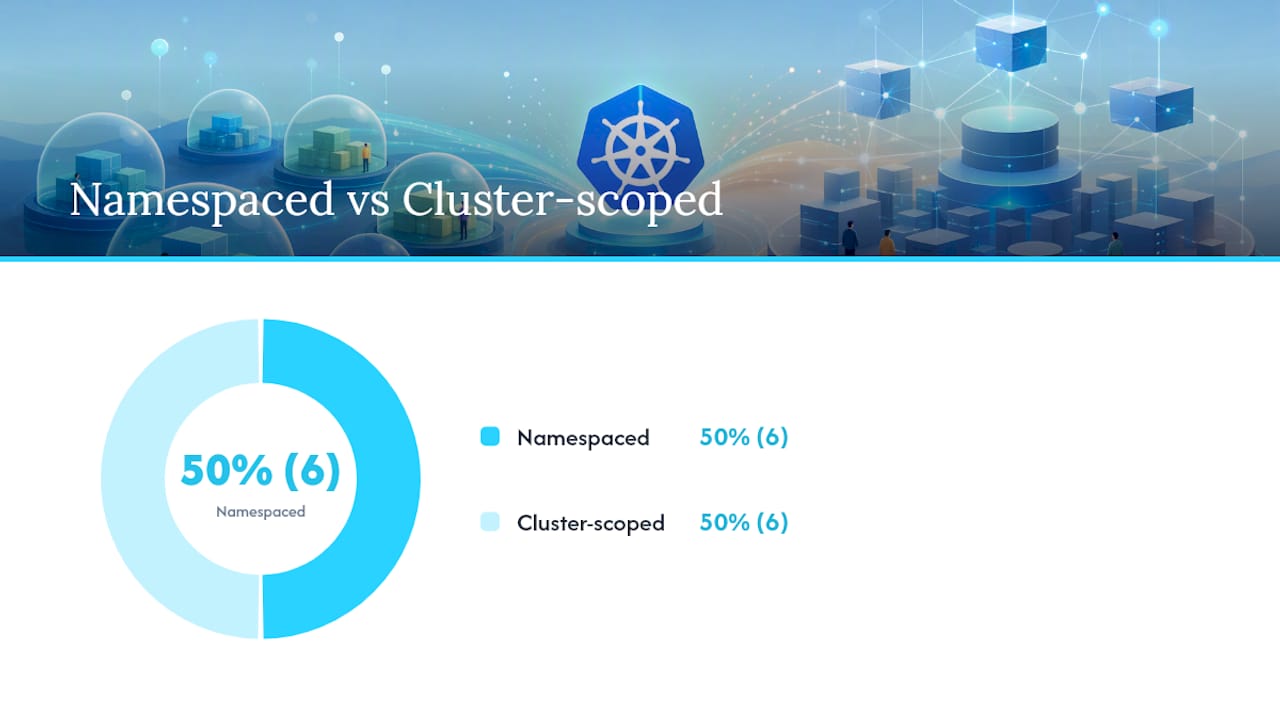
Cluster-scoped resources are visible to every namespace. StorageClasses and Nodes remain shared regardless of how you partition workloads, which matters when you are designing Kubernetes storage class strategies alongside namespace boundaries.
Default namespaces you should know
default— where objects land when you omit-n; avoid using it for real workloads.kube-system— control-plane and system components; treat it as hands-off.kube-public— readable by all users, including unauthenticated; used for cluster info.kube-node-lease— holds node heartbeat Lease objects; leave it alone.
The namespaces walkthrough demonstrates that resources created in one namespace are hidden from another, which is the visibility guarantee you rely on when scoping kubectl get pods to a team’s workspace.
When should you create a dedicated namespace?
The short answer: whenever you need a distinct policy boundary, a resource budget, or a clear ownership line. The Kubernetes blog on namespace use cases identifies team boundaries, environment separation, and tenant isolation as the canonical triggers.
Practical decision criteria:
- Team boundaries — each team gets its own namespace so RBAC and quotas apply cleanly without cross-team interference.
- Environment separation —
projectA-dev,projectA-staging,projectA-prodas distinct namespaces with mirrored manifests and different quota limits. - Tenant or customer isolation — per-customer namespaces when tenants need separate audit trails, quotas, or NetworkPolicy rules.
- CI pipelines — ephemeral namespaces per pipeline run for integration tests; delete them on completion.
- Resource accounting — when you need per-team cost attribution, a namespace per team is the cleanest unit.
Sizing guidance: a shared per-environment namespace (one dev, one staging) works for small teams with low blast-radius risk. As team count grows, per-team-per-environment namespaces give cleaner ownership at the cost of more objects to manage. The overhead is manageable if you template namespace creation.
Pro Tip: Map ownership and lifecycle before you create a namespace. Decide who can delete it, who gets paged when its quota fills, and when it should be retired. A namespace without an owner annotation is a future incident waiting to happen.
What namespaces protect you from — and what they don’t
This is where most teams get into trouble. Namespaces scope names and serve as policy attachment points. They do not isolate kernel resources, node-level compute, or network traffic by default.
What namespaces do NOT isolate on their own:
- Network traffic between Pods in different namespaces (no NetworkPolicy = open by default).
- Node-level resources like CPU and memory at the kernel level.
- Cluster-scoped objects (Nodes, StorageClasses, ClusterRoles).
- Access to the Kubernetes API for users with cluster-wide permissions.
Treating a namespace as a security boundary without RBAC, NetworkPolicy, and admission controls is one of the most common multi-tenancy mistakes in Kubernetes. The Kubernetes blog is explicit: any user or resource in a cluster can access any other resource regardless of namespace unless additional controls are applied. A namespace alone is a logical partition, not an enforced isolation boundary.
For stronger isolation, you need all three layers working together: RBAC for access control, NetworkPolicy to restrict Pod-to-Pod traffic, and admission controllers to enforce policy at creation time. For hostile multi-tenancy (untrusted code from different customers), separate clusters remain the only reliable answer. The Kubernetes security hardening guide covers how these controls combine into a meaningful isolation model.
Pro Tip: When evaluating whether namespaces are enough for your tenancy model, ask: “Would a compromised Pod in namespace A be able to reach namespace B’s services?” If you haven’t applied NetworkPolicy, the answer is yes.
Which Kubernetes objects are namespaced and why that matters
Namespaced objects — Pods, Services, ConfigMaps, Deployments, Secrets, PVCs — are scoped to their namespace for name resolution, RBAC, and ResourceQuota. Cluster-scoped objects — Nodes, StorageClasses, PersistentVolumes, CRDs, ClusterRoles — are visible and shared across all namespaces.
The operational consequences are real:
- Monitoring —
kubectl get pods -n team-areturns only that team’s Pods. Cluster-level dashboards need explicit cross-namespace queries or cluster-scoped permissions. - RBAC — a Role grants permissions within one namespace; a ClusterRole grants them cluster-wide. Binding a ClusterRole to a namespace-scoped RoleBinding limits its effect to that namespace, which is a useful pattern.
- Resource accounting — ResourceQuota applies to namespaced objects only; you cannot quota Nodes or StorageClasses per namespace.
A common configuration error: a team defines a PVC expecting it to be isolated per namespace, then discovers the StorageClass it references is cluster-scoped and shared. If the StorageClass has a reclaim policy of Delete, a cluster admin’s action on it affects every namespace using it. Understanding Kubernetes storage classes alongside namespace scope prevents that kind of surprise.
Pro Tip: Run kubectl api-resources --namespaced=false to get the full list of cluster-scoped kinds. Print it and keep it near your namespace design doc.
How DNS and service discovery work across namespaces
Within a namespace, a Service is reachable by its short name: my-service. Across namespaces, you must use the fully qualified domain name. The FQDN pattern is:
<service-name>.<namespace>.svc.cluster.localSo a Service named payments in namespace billing is reachable from any other namespace as:
payments.billing.svc.cluster.localThe short name payments only resolves within the billing namespace because in-cluster DNS uses a search path that appends the local namespace suffix first. Cross-namespace callers that use the short name will get a DNS resolution failure or, worse, silently resolve to a different Service with the same name in their own namespace.
Common pitfalls:
- Headless Services (no ClusterIP) return Pod IPs directly; the FQDN still works but the resolution behavior differs.
- DNS search path limits mean deeply nested FQDNs can exceed the search path depth; always use the full
svc.cluster.localsuffix for cross-namespace calls in production. - NetworkPolicy can block traffic even when DNS resolves correctly — DNS success does not mean the connection will succeed.
For deeper debugging of DNS failures, the Kubernetes DNS troubleshooting guide walks through the diagnostic sequence.
Pro Tip: Always hardcode the full FQDN in cross-namespace service references in your application config or Helm values. Relying on short names across namespaces is a silent failure waiting for a namespace rename or a move to a different cluster.
How namespaces enable delegated management: RBAC, ResourceQuota, LimitRange, and NetworkPolicy
Namespaces are the attachment point for every governance control you care about. This is the real reason they matter operationally.
RBAC delegation
# Create a role that allows managing Deployments in team-a
kubectl create role deploy-manager \
  --verb=get,list,create,update,delete \
  --resource=deployments \
  -n team-a

# Bind it to a team service account
kubectl create rolebinding team-a-deploy \
  --role=deploy-manager \
  --serviceaccount=team-a:ci-runner \
  -n team-a
A RoleBinding is always namespace-scoped. The ci-runner service account in team-a can now manage Deployments in team-a and nowhere else.
ResourceQuota and LimitRange
kubectl apply -f - <<EOF
apiVersion: v1
kind: ResourceQuota
metadata:
  name: team-a-quota
  namespace: team-a
spec:
  hard:
    requests.cpu: "4"
    requests.memory: 8Gi
    limits.cpu: "8"
    limits.memory: 16Gi
    count/pods: "20"
EOF
LimitRange sets per-Pod or per-container defaults and maximums, so Pods without explicit resource requests still get bounded. Without LimitRange, a single container can consume all node resources if it has no limits set.
NetworkPolicy and admission controllers
NetworkPolicy rules are namespace-scoped. A default-deny ingress policy applied to team-a blocks all inbound traffic to Pods in that namespace unless an explicit allow rule exists. Admission controllers like OPA Gatekeeper or Kyverno can enforce namespace-level constraints at creation time — for example, requiring every Pod to have a resource request or rejecting images from untrusted registries.
Pro Tip: Every namespace should have its own ServiceAccount for workloads, not the default service account. The default account often accumulates permissions over time. Explicit service accounts with least-privilege RoleBindings are much easier to audit.
Operational best practices and common anti-patterns for namespace strategy
Best practices
- Define ownership at creation. Every namespace gets an
ownerannotation with a team name and a contact. No owner, no namespace. - Template namespace manifests. A Namespace, ResourceQuota, LimitRange, default NetworkPolicy, and a RoleBinding should ship as a single bundle. Apply the bundle via CI/CD, not manually.
- Attach quotas and RBAC at creation, not later. Retrofitting quotas onto a running namespace is painful and often triggers Pod evictions.
- Treat
defaultandkube-systemas hands-off. Real workloads go in named namespaces. Thedefaultnamespace is a trap for teams that skip the-nflag. - Enforce a naming convention.
<team>-<env>or<project>-<env>patterns make ownership obvious fromkubectl get nsoutput.
Common anti-patterns
- Versioning by namespace — creating
app-v1,app-v2,app-v3namespaces. The Kubernetes docs explicitly warn against this; use labels within a namespace to distinguish versions. - Overcrowding a single dev namespace — all developers sharing one
devnamespace means one team’s quota exhaustion blocks everyone else. - Lax deletion permissions — any developer who can
kubectl delete namespaceon a shared cluster is a blast-radius risk. - Inconsistent customer mapping — mixing per-customer namespaces with application-level tenancy in the same cluster makes audit and incident response painful.
Namespace onboarding checklist
- Namespace manifest with
ownerandteamlabels - ResourceQuota and LimitRange applied
- Default-deny NetworkPolicy in place
- RoleBinding for team service account
- Monitoring namespace added to Prometheus scrape config
- Deletion protection annotation or RBAC restriction set
Concrete kubectl commands and workflow for namespaces
The minimal command set every engineer should have in their runbook:
- List all namespaces:
kubectl get ns - Create a namespace:
kubectl create ns team-bor apply a manifest. - Set a default namespace for your context:
kubectl config set-context --current --namespace=team-b - Run any command in a specific namespace:
kubectl get pods -n team-b - Describe a namespace (quota, resource usage):
kubectl describe ns team-b - Delete a namespace:
kubectl delete namespace team-b
The namespaces walkthrough covers the basic interaction model and default namespace behavior in detail.
Recommended CI/CD workflow:
- Store the namespace bundle (Namespace + ResourceQuota + LimitRange + NetworkPolicy + RoleBinding) as a versioned manifest in Git.
- Apply via
kubectl apply -f namespace-bundle/in your GitLab CI pipeline before deploying workloads. - Assign an owner in the pipeline run metadata and verify quota headroom before deploying.
Deletion caveat. kubectl delete namespace team-b cascades to every namespaced object inside — Pods, Services, Deployments, ConfigMaps, Secrets, PVCs — with no undo. Protect production namespaces with a kubectl auth can-i delete namespaces RBAC restriction and consider a kubectl annotate marker that your admission controller treats as a deletion lock.
Practical examples: dev/staging/prod pipelines, tenant isolation, and platform delegation
Dev to prod pipeline
Mirror a namespace bundle across environments with a naming pattern:
projectA-dev— liberal quotas, developer RBAC, no strict NetworkPolicy.projectA-staging— production-like quotas, restricted RBAC, NetworkPolicy mirroring prod.projectA-prod— strict quotas, ops-only write access, full NetworkPolicy, admission controller enforcement.
Templated manifests with environment-specific values (quota sizes, image registries) keep the three namespaces structurally identical and diff-able.
Multi-tenant isolation
Per-customer namespaces work well when tenants need separate audit logs, quotas, or compliance boundaries. The tradeoff: namespace count grows with customer count, and namespace management at scale requires centralized governance to avoid a “mushroom farm” topology. When tenants are hostile or run untrusted code, separate clusters are the safer choice — namespaces alone cannot prevent a kernel exploit from crossing boundaries.

Platform delegation: namespace manifest template
apiVersion: v1
kind: Namespace
metadata:
  name: team-a-prod
  labels:
    team: team-a
    env: prod
    managed-by: platform
  annotations:
    owner: "platform-eng@example.com"
    deletion-protected: "true"
Platform teams attach admission controller policies to namespaces carrying the managed-by: platform label, which lets them enforce standards without touching individual workload manifests. For teams evaluating platform-level multi-tenancy models, the OpenShift cloud-native architecture post covers how enterprise platforms extend these patterns.
| Pattern | Namespace model | When to prefer |
|---|---|---|
| Dev/staging/prod pipeline | One namespace per env per project | Standard app delivery |
| Per-team isolation | One namespace per team per env | Multiple teams, shared cluster |
| Per-customer tenancy | One namespace per customer | SaaS, compliance boundaries |
Enforcing namespace policies with Kyverno, NetworkPolicy, and admission controls
Policy engines like Kyverno and OPA Gatekeeper belong in your namespace onboarding flow, not as an afterthought. They enforce what RBAC and quotas cannot: structural rules like “every namespace must have an owner label” or “no Pod may use latest as an image tag.”
What a namespace admission policy typically enforces:
- Required labels (
team,env,owner) on every namespace. - Default ResourceQuota injection when a namespace is created without one.
- Image signing or registry allowlisting per namespace label.
- Automatic NetworkPolicy injection for new namespaces matching a label selector.
A compact Kyverno ClusterPolicy that requires an owner label on every namespace:
apiVersion: kyverno.io/v1
kind: ClusterPolicy
metadata:
  name: require-namespace-owner
spec:
  validationFailureAction: Enforce
  rules:
  - name: check-owner-label
    match:
      resources:
        kinds: [Namespace]
    validate:
      message: "Namespace must have an 'owner' label."
      pattern:
        metadata:
          labels:
            owner: "?*"
Policy rollout checklist:
- Test in a non-production namespace with
validationFailureAction: Auditfirst. - Monitor violation events with
kubectl get policyreport -A. - Escalate persistent violations to the platform SRE team before switching to
Enforce.
Pro Tip: Combine admission policies with a centralized observability namespace that scrapes policy violation metrics. A Grafana dashboard showing “namespaces missing owner label” catches drift before it becomes a compliance finding.
The Kubernetes Namespace Definitive Guide argues that templated namespace strategies with centralized governance are what separate maintainable multi-tenant clusters from ones that accumulate inconsistent, hard-to-audit configurations.
Common problems and how to diagnose them
DNS resolution failures
- Confirm the Service exists in the target namespace:
kubectl get svc -n billing. - Test DNS from inside a Pod:
kubectl exec -it debug-pod -n team-a -- nslookup payments.billing.svc.cluster.local. - Check if NetworkPolicy is blocking traffic even though DNS resolves:
kubectl describe networkpolicy -n billing. - Verify CoreDNS is healthy:
kubectl get pods -n kube-system -l k8s-app=kube-dns.
Quota exhaustion
kubectl describe ns team-ashows current quota usage vs. limits.kubectl get events -n team-a --field-selector reason=FailedCreatesurfaces quota-blocked Pod creation.kubectl get resourcequota -n team-a -o yamlgives the raw numbers.
Stuck namespace deletion
A namespace stuck in Terminating state almost always has a finalizer blocking it. Diagnose with:
kubectl get namespace team-b -o json | jq '.spec.finalizers'
kubectl get all -n team-b   # check for remaining objects
Finalizer-blocked namespace deletion requires identifying which controller owns the finalizer and resolving it through that controller, not by force-patching the namespace object blindly. Removing finalizers without understanding why they are there can leave orphaned resources in an inconsistent state.
Common stuck-deletion causes:
- PVCs with a
kubernetes.io/pvc-protectionfinalizer waiting for Pod detachment. - Custom resources whose CRD controller is no longer running.
- Admission webhooks that fail to respond during deletion.
What platform teams consistently get wrong
Most namespace problems I see come down to one thing: namespaces created ad hoc, without a template, without an owner, and without quotas. The cluster looks fine for six months, then someone runs kubectl get ns and counts 200 namespaces with names like test2, old-infra, and johns-stuff. Nobody knows what is safe to delete.
The fix is boring but effective: a namespace template enforced by an admission controller, a mandatory owner annotation, and a quarterly review process that flags namespaces with no active workloads. Naming conventions like <team>-<project>-<env> make ownership visible from the namespace list alone.
On lifecycle: retiring a namespace should follow a documented process — annotate it as status: deprecated, scale down workloads, confirm no active traffic via your observability stack, then delete. Skipping any of those steps is how you accidentally delete a namespace that was still serving traffic.
For teams running multi-tenant clusters at scale, contributing to or following SIG-Auth and the Kubernetes policy working group is worth the time. The patterns they produce — around admission, RBAC, and namespace governance — are where the field is moving.
Namespace playbooks and policy templates from Devopsaitoolkit
If you have gotten this far, you know that the hard part of namespaces is not the API — it is the operational discipline: templated manifests, consistent RBAC, admission policies, and lifecycle management that does not fall apart when the team grows.

Devopsaitoolkit packages that discipline into ready-to-use playbooks and automation toolkits for engineers who want to skip the trial-and-error phase. The AI DevOps tools suite includes in-browser incident triage tools and automation guides built specifically for Kubernetes operators managing production clusters. For engineers who want downloadable namespace templates, RBAC bundles, and CI/CD pipeline snippets, the prompt packs and automation toolkits give you battle-tested starting points rather than blank YAML files. Check the toolkit and pick up what fits your current cluster design.
Primary sources and further reading
- Namespaces — Kubernetes official docs — official concept reference covering name scoping, FQDN patterns, and cluster-scoped vs. namespaced objects.
- Kubernetes Namespaces: use cases and insights — Kubernetes project blog covering use cases, anti-patterns, and the soft-boundary limitation.
- Namespaces walkthrough — hands-on tutorial demonstrating default namespaces and basic kubectl workflows.
- Namespaces: Multi-Tenancy Boundaries in Kubernetes — operator-focused writeup on deletion cascades, finalizers, and RBAC/NetworkPolicy as isolation anchors.
- Kubernetes Namespace: The Definitive Guide — practitioner guide recommending templated namespace strategies and centralized governance.
- Share a Cluster with Namespaces — official task guide on namespace delegation patterns for platform teams.
Sources
- Namespaces
- Kubernetes Namespaces: use cases and insights
- Namespaces walkthrough
- Namespaces: Multi-Tenancy Boundaries in Kubernetes - Exploring Kubernetes
- Kubernetes Namespace: The Definitive Guide
Recommended
- Kubernetes Namespace Management Strategies for DevOps
- The Role of Ingress Controller in Kubernetes Explained
- Kubernetes Security Hardening: Pods, RBAC, and Network Policy That Actually Contain a Breach — DevOps AI ToolKit
- Kubernetes Network Policies: Default-Deny and Beyond — DevOps AI ToolKit
Get 500 Battle-Tested DevOps AI Prompts — Free
500 battle-tested, copy-paste AI prompts engineered by a senior systems engineer — every one with fill-in placeholders and safety/back-out notes. Drop your email and it's yours.
- 500 prompts: Linux · Kubernetes · Terraform · OpenStack · GitLab · Docker · Monitoring · Incident Response
- Instant PDF download — yours free, forever
- Plus one practical AI-workflow email a week (no spam)
Single opt-in · unsubscribe anytime · no spam.