
What Nova Compute Actually Does in an OpenStack Cloud
Discover how Nova Compute powers OpenStack clouds by managing virtual machines, storage, and networking, ensuring efficient cloud operations.

Nova is OpenStack’s compute controller. It provisions and manages virtual machines, bare metal, and (in limited cases) system containers across your cloud. The nova-compute daemon is the worker that actually does the physical labor. It runs directly on each hypervisor host, and it’s the piece that builds disk images, spawns instances, attaches storage, and tears things down when you’re done.
Nova doesn’t operate in isolation. It leans on Keystone, Glance, Neutron, and Placement for identity, images, networking, and resource tracking, all wired together through a messaging-based, shared-nothing architecture built for horizontal scale and fault tolerance.
Here’s the short version of what nova-compute is responsible for:
- Downloading and preparing disk images for new instances
- Talking to hypervisor drivers (KVM, Xen, VMware, or Ironic for bare metal) to spawn workloads
- Attaching block storage and networking to running instances
- Integrating with console proxies so you can access an instance’s screen
- Reporting instance state and health back to the control plane
- Terminating instances and reclaiming resources cleanly
Key Takeaways
Nova provisions and manages compute instances through a messaging-based architecture where nova-compute is the only service tied permanently to its host hardware.
| Point | Details |
|---|---|
| Nova’s core role | Nova is OpenStack’s compute controller, provisioning VMs, bare metal, and system containers. |
| nova-compute is host-bound | It runs on each hypervisor host and can’t scale horizontally like other Nova services. |
| Four critical dependencies | Keystone, Glance, Neutron, and Placement each handle a piece Nova can’t do alone. |
| Keep conductor off compute nodes | Co-location causes database contention and undermines the shared-nothing design. |
| Tune CPU settings deliberately | Enable CPU pinning and NUMA awareness for workloads that can’t tolerate overcommit. |
Ready to stop guessing at nova-compute failures at 2 a.m.? Devopsaitoolkit builds prompt libraries and automation guides specifically for OpenStack operators, plus consulting and managed services for teams that want an expert set of eyes on their Nova architecture before it becomes an incident.
Table of Contents
- The Role of Nova Compute in OpenStack’s Architecture
- What the Nova-Compute Daemon Handles Day to Day
- How Nova Integrates With Keystone, Glance, Neutron, and Placement
- What Happens Between an API Call and a Running Instance
- Scaling and Deploying Nova Without Breaking It
- Common Nova Compute Problems and How to Fix Them
- Tools Operators and Users Actually Use to Manage Nova
- What I’d Actually Prioritize Running Nova at Scale
- Nova Documentation Worth Bookmarking
- Frequently Asked Questions
- Sources
The Role of Nova Compute in OpenStack’s Architecture
Nova’s design separates the control plane from the workers that touch hardware. That split is the entire reason OpenStack compute scales the way it does, and it’s worth understanding before you touch any config file.
- Messaging is the backbone. Nova services talk to each other over a message queue, typically RabbitMQ using AMQP. This decoupling means the API server never blocks waiting on a scheduler decision, and a slow compute node doesn’t stall the rest of the fleet.
- Control-plane services coordinate, they don’t execute.
nova-apihandles incoming requests,nova-schedulerpicks a host,nova-conductormediates database access, and Placement tracks what resources are actually available. None of these touch a hypervisor directly. - nova-compute is the odd one out. Every other Nova service can run on multiple servers and scale horizontally. nova-compute can’t, because it has to run on the exact host managing the hypervisor it’s controlling. You scale it by adding hosts, not by adding replicas of the process.
That asymmetry explains a lot of Nova’s operational quirks, including why upgrades and maintenance on compute nodes get planned differently than everything else.
What the Nova-Compute Daemon Handles Day to Day
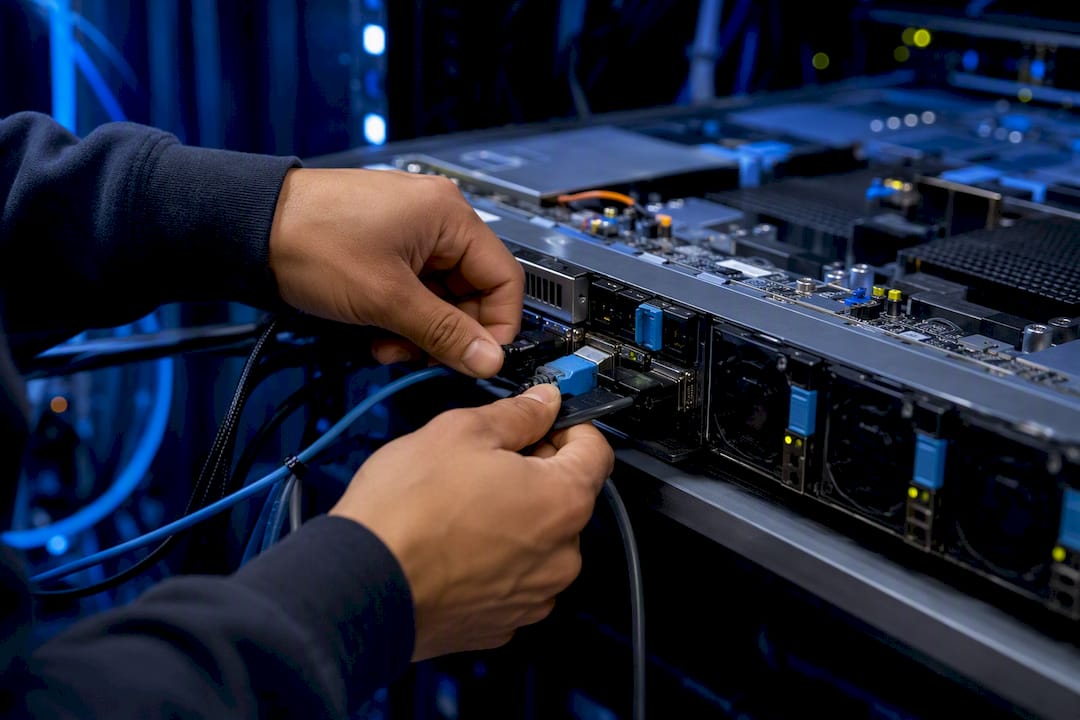
Think of nova-compute as the hands-on worker in a warehouse where the control plane is management issuing orders. It’s the daemon actually pulling images, provisioning disks, and flipping the switch on new instances.
The daemon’s job breaks down into a handful of repeated tasks:
- Pulling image data from Glance and staging it on local or shared storage
- Provisioning root and ephemeral disks in the format the hypervisor driver expects
- Calling the appropriate virtualization driver to spawn the instance
- Wiring up console access (VNC or SPICE) so operators and users can reach the instance directly
- Sending periodic health and resource-usage reports back to the control plane
Which driver nova-compute uses matters more than most teams initially assume. The libvirt/KVM driver is the default and the best-tested path in most distributions. VMware’s driver exists for shops already standardized on vSphere, and the Ironic driver hands bare-metal provisioning off to a separate service entirely, which changes several assumptions about networking and scheduling.
Crucially, nova-compute doesn’t write directly to the Nova database. It hands that work off to nova-conductor, which keeps compute nodes from needing direct DB credentials and keeps the shared-nothing model intact.
Pro Tip: If you’re testing a new hypervisor driver, spin it up in a small cell first. Driver bugs tend to surface as silent spawn failures, not clean error messages, and you don’t want to discover that in production.
How Nova Integrates With Keystone, Glance, Neutron, and Placement
Nova is a coordinator more than a self-contained service. Every instance launch touches at least four other OpenStack components, and if any one of them is misconfigured, the failure often shows up as a Nova error even though Nova isn’t the culprit.
- Keystone issues the auth tokens that let nova-api verify who’s making a request and what they’re allowed to do; every API call checks the service catalog before Nova does anything else.
- Glance stores image metadata and formats; nova-compute needs reliable access to that image data on every compute node, or builds stall at the download step.
- Neutron owns all networking, and its metadata proxy is what lets a freshly booted instance actually retrieve its own configuration. A broken metadata path is one of the most common sources of “the instance booted but never finished cloud-init” tickets. Debugging that handoff is covered in more depth in this guide to Neutron networking issues.
- Placement tracks resource inventory (vCPU, RAM, disk) per compute node, and the scheduler reads those numbers before picking a host. If inventory reporting drifts, scheduling decisions drift with it.
What Happens Between an API Call and a Running Instance
Every instance you launch follows the same path through Nova’s daemons, and knowing that path is the fastest way to figure out where a failed build actually broke.
- nova-api receives the request, checks policy and quota, and hands it off.
- nova-scheduler queries Placement for candidate hosts, filters and weighs them, and picks a target.
- nova-compute on the chosen host builds the disk, calls the hypervisor driver, and spawns the instance, while nova-conductor handles the database writes along the way.
- Auxiliary pieces finish the job: Neutron attaches networking, the metadata service delivers instance config, a volume service handles storage attach, and console proxies stand ready if anyone needs direct access.
Trace a stuck build against this sequence and you’ll usually find the failure point in a couple of minutes instead of a couple of hours.
Scaling and Deploying Nova Without Breaking It
Small clouds can run every Nova service on one or two controllers without much thought. Once you’re past a few hundred hypervisors, deployment decisions start to matter a lot more.
- Cells v2 splits your compute fleet into groups with their own cell databases, which keeps a single massive instance-state table from becoming a bottleneck. Adding cells later is supported, but the mapping work is easier to do early than to retrofit. Devopsaitoolkit’s guide to scaling Nova with cells v2 walks through the planning steps in more detail.
- Keep nova-conductor off compute nodes. Conductor exists specifically to mediate database access safely; running it alongside compute reintroduces the contention it was built to avoid, and operator guidance is consistent on this point.
- Hypervisor choice shapes your ceiling. KVM via libvirt is the default for a reason, but GPU passthrough, SR-IOV, and bare-metal workloads through Ironic each carry their own scheduling and driver requirements.
- Watch your message queue and database like you’d watch disk space. A struggling RabbitMQ cluster shows up first as delayed or stuck instance builds, often before any single host looks unhealthy.
Pro Tip: Queue depth and consumer lag are leading indicators, not lagging ones. If those numbers start climbing, you have time to react before users start filing tickets about instances stuck in “BUILD.”
Common Nova Compute Problems and How to Fix Them
Most Nova incidents trace back to one of three things: a conductor placed wrong, an inventory mismatch, or a CPU configuration nobody revisited after the initial install.
- Never co-locate nova-conductor with compute. It creates database contention and quietly defeats the whole point of having a conductor tier.
- Check for placement inventory drift when instances that should schedule cleanly keep landing in “no valid host” errors. A gap between what Placement reports and what a host actually has free is one of the more common silent failure modes.
- Revisit CPU overcommit defaults for latency-sensitive workloads. Nova exposes generic vCPUs by default, which is fine for general-purpose tenants but wrong for anything sensitive to jitter. CPU pinning and NUMA awareness fix that, but they have to be turned on deliberately.
- Start debugging with
nova-compute.logon the affected host, then check the conductor and scheduler logs for the same request ID. OpenStackClient is the fastest way to reproduce a failing create call in isolation. Devopsaitoolkit’s troubleshooting walkthrough for nova-compute failures covers the log-reading sequence step by step.
Misconfigured services are also a security exposure, not just a reliability one. A broader look at cloud misconfigurations that lead to breaches is worth a read if you’re auditing access controls around your compute nodes, not just uptime.
Pro Tip: When in doubt, correlate timestamps across nova-api, nova-scheduler, and nova-compute logs for the same request. Nova’s messaging model means the failure you see in one log is often just the last domino, not the first.
Tools Operators and Users Actually Use to Manage Nova
You don’t need a deep understanding of Nova’s internals to run day-to-day operations, but you do need to know which tool does what.
- The OpenStack Compute API handles everything under the hood; every other tool here is a client for it, authenticating through Keystone’s token and service catalog.
- OpenStackClient is the standard CLI for creating, listing, and deleting instances, checking quotas, and scripting routine operations.
- Horizon gives less technical users a dashboard for common tasks, though admin-level operations often still require the CLI. Checking Placement resource reports, for instance, is easier through AI-assisted inventory reading than through raw API output.
- novnc and spice-html5 console proxies give direct visual access to an instance when SSH isn’t an option, which matters most during early boot debugging.
What I’d Actually Prioritize Running Nova at Scale
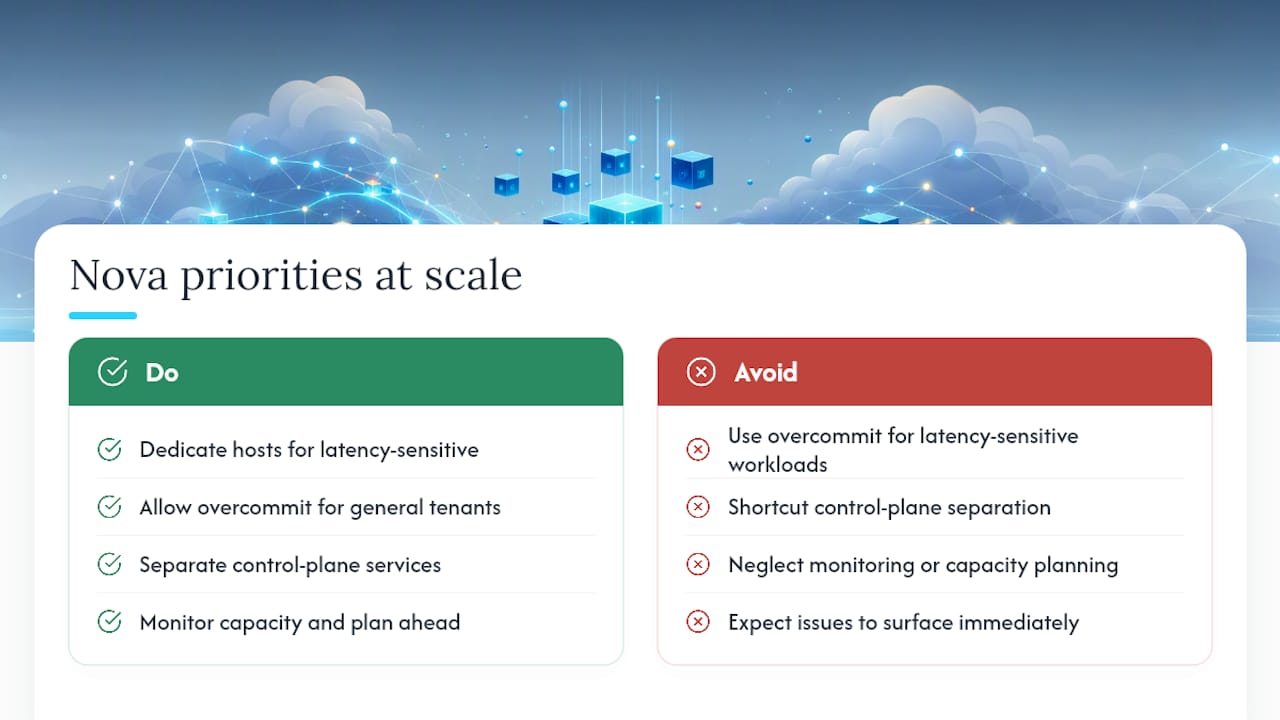
Overcommit is fine for general tenants, but dedicate hosts for anything latency-sensitive. Skip the shortcuts on separating control-plane services. Nova’s distributed design means small oversights in monitoring or capacity planning surface as production incidents weeks later, not immediately.
Nova Documentation Worth Bookmarking
Start with the official Nova system architecture docs for the canonical explanation of service boundaries, then check Red Hat’s Compute Service configuration guide for production-grade deployment and tuning guidance.
Frequently Asked Questions
What is the role of Nova compute in OpenStack? Nova compute provisions and manages virtual machines, bare metal, and system containers as OpenStack’s compute controller, coordinating with Keystone, Glance, Neutron, and Placement to build and run instances.
What does the nova-compute daemon actually do? It runs on each hypervisor host and handles image staging, disk provisioning, instance spawning through a hypervisor driver, storage and network attachment, and termination, offloading database writes to nova-conductor.
Why can’t nova-compute be horizontally scaled like other Nova services? It has to run directly on the host managing the hypervisor it controls, so you scale capacity by adding hosts, not by running multiple instances of the same process.
What’s the most common Nova deployment mistake? Running nova-conductor on compute nodes, which reintroduces the database contention the conductor tier was designed to eliminate.
Does Nova support GPUs and specialized hardware? Yes, through PCI passthrough and SR-IOV configuration, though these require explicit setup since Nova defaults to abstracting hardware into generic, overcommittable vCPUs.
Sources
- Nova system architecture
- 3. Computing service: OpenStack Nova
- Configuring the Compute Service for Instance Creation — Red Hat OpenStack Platform 16.1
- OpenStack Compute service overview (Rocky)
Recommended
- Troubleshooting Nova Compute Failures in OpenStack
- Scaling Nova with Cells v2 in OpenStack — DevOps AI ToolKit
- Nova Host Aggregates, NUMA, and CPU Pinning in OpenStack
- How to Build a Production-Ready OpenStack Cloud (2026 Guide)
Get 500 Battle-Tested DevOps AI Prompts — Free
500 battle-tested, copy-paste AI prompts engineered by a senior systems engineer — every one with fill-in placeholders and safety/back-out notes. Drop your email and it's yours.
- 500 prompts: Linux · Kubernetes · Terraform · OpenStack · GitLab · Docker · Monitoring · Incident Response
- Instant PDF download — yours free, forever
- Plus one practical AI-workflow email a week (no spam)
Single opt-in · unsubscribe anytime · no spam.