
The Role of Ingress Controller in Kubernetes Explained
Discover the role of ingress controller in Kubernetes. Learn how it manages traffic, enhances load balancing, and simplifies service architecture.

An ingress controller in Kubernetes is the active runtime component that reads your Ingress resource definitions and actually enforces them. Without it, an Ingress manifest is just metadata sitting in etcd doing nothing. The controller is what converts YAML routing rules into real proxy configurations, watches the Kubernetes API for changes, and dynamically updates its internal reverse proxy without restarting your services. Think of the Ingress resource as a traffic map and the controller as the driver following it.
Here is what the controller does at its core:
- Acts as a Layer 7 reverse proxy and load balancer, routing HTTP/HTTPS traffic based on hostname, URL path, and DNS attributes
- Continuously watches the Kubernetes API for Ingress resource changes and reconfigures its proxy engine in real time
- Consolidates multiple services behind a single external IP, reducing the need for multiple cloud load balancers
- Enforces SSL/TLS termination, rate limiting, and health checks at the cluster edge
- Remains the sole enforcer of Ingress rules; without a running controller, your Ingress objects have zero effect on traffic
What functions does a Kubernetes ingress controller actually perform?
The controller’s job goes well beyond simple routing. It manages the full lifecycle of inbound traffic from the moment a request hits your cluster’s external endpoint.
- Host and path routing: Directs traffic to different backend services based on hostname (
api.example.comvs.app.example.com) or URL prefix (/apivs./admin), all through a single external IP - SSL/TLS termination: Decrypts HTTPS traffic at the edge so backend pods never handle certificates directly, reducing CPU overhead on your workloads
- Automated certificate provisioning: Integrates with tools like cert-manager to provision and renew TLS certificates automatically via ACME protocols
- Load balancing: Distributes requests across healthy pod replicas and removes failing pods from rotation automatically when readiness or liveness checks fail
- Rate limiting: Throttles abusive clients before requests reach your application pods
- Real-time reconfiguration: Applies routing changes dynamically without service downtime, critical in CI/CD pipelines where deployments happen multiple times a day
- Endpoint-level updates without reloads: Uses internal mechanisms like Lua scripts in NGINX to push endpoint changes to the proxy without triggering a full configuration reload
That last point trips up a lot of engineers. A pod scaling event does not require an NGINX reload. The ingress-nginx controller sends updated endpoint lists to a Lua handler running inside NGINX via HTTP POST, and the balancer picks up the change immediately. Full reloads are reserved for structural changes like adding a new path or modifying a TLS section.
How ingress controllers strengthen cluster security and observability
Choosing an ingress controller is a security decision as much as a networking one. The controller sits at the cluster edge, which makes it the natural place to enforce policies that would otherwise need to be replicated across every individual service.
- Centralized WAF and authentication: WAF rules and auth checks applied at the ingress layer protect all backend services without per-service configuration
- IP allow/deny lists: Block or permit traffic by source IP before requests reach any application pod
- TLS certificate consolidation: Managing certificates in one place reduces the risk of expired or misconfigured certs across dozens of services
- Admission control integration: Pair the controller with Kyverno admission rules to enforce policy compliance on Ingress resources before they are applied
- Centralized observability: Because all inbound traffic passes through one component, you get aggregated metrics for latency, error rates, and request volume without instrumenting each service individually
Pro Tip: Enable the validating admission webhook on ingress-nginx. A broken annotation syntax in one Ingress object can invalidate the entire generated NGINX config, taking down all ingresses in the cluster. The webhook catches syntax errors before they reach the controller and prevents that class of outage entirely.
How do different ingress controllers compare, and what should you configure?
Not all ingress controllers work the same way, even though they all implement the Kubernetes Ingress spec. The differences matter in production.
- Proxy engine: Controllers are built on different underlying proxies. NGINX-based controllers use the NGINX event loop. Envoy-based controllers offer more granular traffic control and better native observability. HAProxy-based options tend to excel at raw throughput.
- Annotation syntax: Each controller uses its own annotation namespace. An annotation valid for ingress-nginx will be silently ignored by a Traefik or HAProxy controller. Always read the controller-specific docs before copying config from the internet.
- IngressClass for multi-controller clusters: You can run multiple controllers simultaneously in one cluster by assigning
ingressClassNameon each Ingress object. A common pattern is a lightweight controller for internal service-to-service traffic and a WAF-enabled controller for public-facing apps. - Reload behavior: Structural config changes trigger a proxy reload. Under high churn, this can degrade performance. Controllers use synchronization loops and debounce mechanisms to batch changes and avoid unnecessary restarts.
- Gateway API migration: The Kubernetes project now recommends Gateway API over the Ingress API for new deployments. The Ingress API is frozen. If you are starting fresh, evaluate whether Gateway API fits your requirements before committing to Ingress-based controllers. The Devopsaitoolkit guide on Kubernetes Ingress and Gateway API covers this transition in detail.
Practical advice for DevOps engineers managing ingress in production
I have spent enough time debugging ingress issues to know that most problems are not in the Ingress manifest. They are in the controller itself.
- Check controller logs first. When routing breaks,
kubectl logson the controller pod tells you whether it received the Ingress event, whether it generated a valid config, and whether the reload succeeded. The manifest is rarely the culprit. - Verify RBAC permissions. The controller needs read access to Ingress, Service, Endpoint, Secret, and ConfigMap resources. Missing permissions cause silent failures where the controller simply stops processing changes.
- Monitor reload frequency. Excessive reloads under high churn are a performance signal. If you see reloads firing on every pod restart, check whether your controller version supports endpoint-only updates via Lua.
- Automate TLS with cert-manager. Manual certificate management at scale is a liability. Pair your controller with cert-manager and Let’s Encrypt for automatic provisioning and renewal. The cert-manager integration guide on Devopsaitoolkit walks through the full setup.
- Use multiple controllers for specialized traffic. Internal APIs, public-facing apps, and WebSocket services often have different performance and security requirements. Separate IngressClass assignments let you tune each controller independently without affecting others.
- Test config changes in staging first. The validating webhook catches syntax errors, but logic errors in routing rules still reach production. A staging cluster with mirrored Ingress objects is the fastest way to catch path conflicts before they affect users.
Pro Tip: When troubleshooting a controller that stopped processing Ingress events, run kubectl describe ingressclass <name> and confirm the controller field matches the running controller’s --ingress-class flag. A mismatch here is one of the quietest failure modes in the whole stack.
For security-focused deployment patterns that apply broadly to ingress and network ingress strategies, the principles around layered access control and centralized policy enforcement translate directly to how you configure WAF rules and IP filtering at the ingress layer.
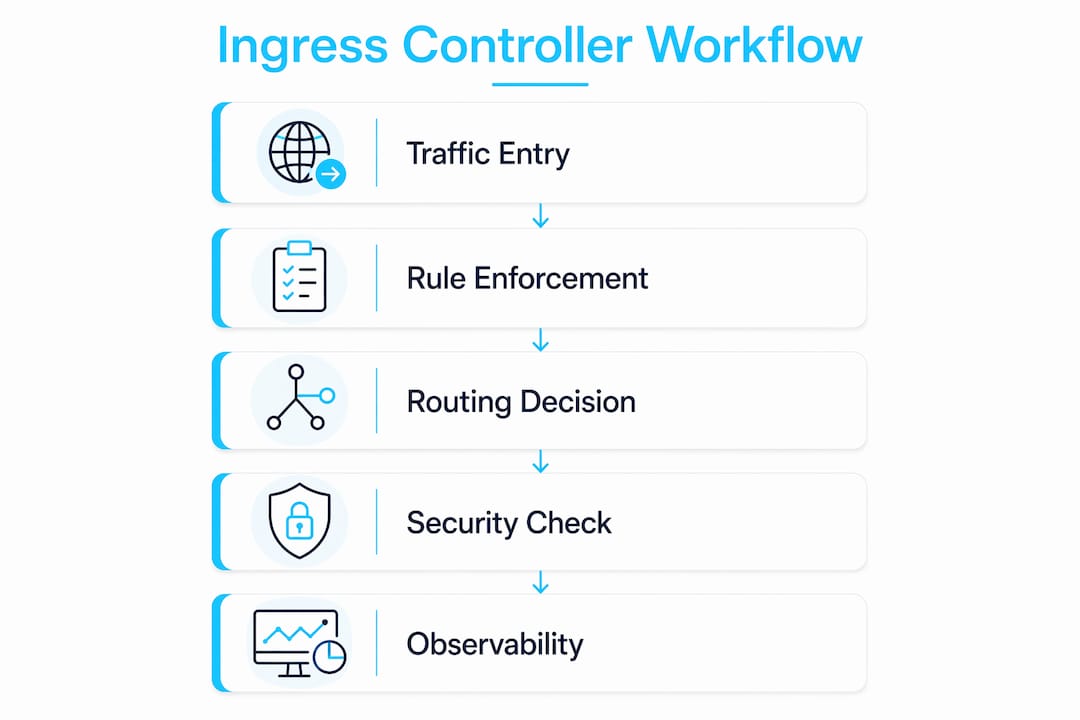
How ingress controllers integrate with service mesh solutions
Running a service mesh alongside an ingress controller is a common production pattern, and the two components serve distinct but complementary roles.
An ingress controller handles north-south traffic: requests coming from outside the cluster into your services. A service mesh like Istio or Linkerd manages east-west traffic: communication between services inside the cluster. They operate at different layers and solve different problems. The ingress controller is your external gateway; the mesh handles internal mTLS, retries, and circuit breaking between pods.

Where they overlap is at the cluster edge. Istio, for example, ships its own ingress gateway built on Envoy, which can replace a standalone ingress controller entirely. When Istio’s gateway is in use, it intercepts all inbound traffic and applies mesh policies before forwarding to services. This gives you a unified control plane for both external routing and internal traffic policies, but it adds operational complexity.
For teams not running a full mesh, a standalone ingress controller paired with network policies covers most production requirements. If you are already running Istio or a similar mesh, evaluate whether the mesh’s native gateway meets your ingress needs before deploying a separate controller. Mixing both without clear ownership of which component handles what leads to routing conflicts and debugging headaches that eat entire afternoons.
Key Takeaways
An ingress controller is the only component that enforces Ingress resource rules; without a running controller, Ingress manifests have no effect on cluster traffic.
| Point | Details |
|---|---|
| Controller enforces rules | Ingress resources are passive config; only a running controller translates them into actual proxy routing. |
| Layer 7 traffic management | Controllers route HTTP/HTTPS by hostname and path, enabling many services to share one external IP. |
| Security centralization | WAF rules, auth checks, and TLS termination applied at the ingress layer protect all backend services at once. |
| Reload optimization | Endpoint changes update via Lua scripts without a full NGINX reload; structural changes still trigger one. |
| Multi-controller clusters | Use ingressClassName to run separate controllers for internal and public-facing traffic in the same cluster. |
Managing ingress at scale is one of those areas where the gap between “it works in dev” and “it’s solid in production” is wider than most engineers expect. If you want AI-assisted workflows for Kubernetes operations, Devopsaitoolkit’s AI DevOps tools and prompt packs are built specifically for engineers running production infrastructure.

Recommended
- Kubernetes Ingress and the Gateway API, Explained for Operators — DevOps AI ToolKit
- Configuring the NGINX Ingress Controller in Kubernetes With
- Kubernetes Security Hardening: Pods, RBAC, and Network Policy That Actually Contain a Breach — DevOps AI ToolKit
- Securing a Kubernetes Cluster: Pod Security and Admission
Get 500 Battle-Tested DevOps AI Prompts — Free
500 battle-tested, copy-paste AI prompts engineered by a senior systems engineer — every one with fill-in placeholders and safety/back-out notes. Drop your email and it's yours.
- 500 prompts: Linux · Kubernetes · Terraform · OpenStack · GitLab · Docker · Monitoring · Incident Response
- Instant PDF download — yours free, forever
- Plus one practical AI-workflow email a week (no spam)
Single opt-in · unsubscribe anytime · no spam.