
Before an Outage: OpenStack High Availability Checks Operators Often Miss
Practical, operator-focused OpenStack high availability advice. Configure three controllers, Pacemaker/Corosync, Galera, and HAProxy, then rehearse...

A production OpenStack high availability deployment needs multiple controller nodes for quorum, Pacemaker and Corosync managing the cluster stack, Galera for database replication, and HAProxy fronting every API behind a shared virtual IP. Fencing (STONITH) and continuous health monitoring aren’t optional extras. Controllers typically run core services as Pacemaker bundle sets, while compute and storage nodes follow their own, separate HA patterns.
TL;DR:
- Ensuring fencing is properly tested and that
pcs statusis regularly reviewed is crucial to prevent split-brain scenarios during failover.- Managing multiple HAProxy instances and enabling
net.ipv4.ip_nonlocal_bindon controllers are essential to avoid single points of failure for API access.- Testing live migration and evacuation processes before an incident occurs significantly reduces the risk of data inconsistency and service downtime.
- Storage backend behavior varies; Ceph handles replication actively across nodes, whereas some Cinder drivers require active-passive configurations, so backend-specific testing is necessary.
- Maintaining a disciplined drill schedule and verifying cluster components’ health prepares teams for real outages more effectively than just monitoring dashboards.
Table of Contents
- What Does High Availability Mean in OpenStack?
- How Should You Design the Controller Cluster?
- Networking, Storage, and Compute: Where HA Gets Physical
- What Should You Monitor, and How Do You Test Failover?
- Common Pitfalls That Undermine OpenStack HA
- Who’s Behind This Guide
- The Part of OpenStack HA Nobody Wants to Budget For
- Get Expert Eyes on Your OpenStack HA Setup
- Where to Go Deeper on OpenStack HA
- Sources
- FAQ
What Does High Availability Mean in OpenStack?
High availability in OpenStack boils down to three separate promises: the control plane keeps answering API calls, your data survives a node failure without corruption, and running instances either keep working or recover fast. Those three goals don’t share one solution. You’ll end up mixing patterns depending on which layer you’re protecting.
Active-active works well where state can be shared or reconciled across nodes. Galera runs active-active, every node accepts writes, and HAProxy load-balances across them. Active-passive fits services that can’t safely run two masters at once, like certain Cinder volume backends, where one node owns the resource until Pacemaker fails it over to a standby.
- Control plane: active-active APIs behind HAProxy, active-passive for a handful of legacy stateful services
- Storage: Ceph replicates active-active across OSDs, but block-level Cinder drivers sometimes force active-passive behavior
- Compute: not clustered in the traditional sense, but protected through live migration and instance evacuation
Mixed-mode designs show up constantly in real deployments, usually because a storage backend or legacy driver can’t tolerate concurrent writers. That’s fine. OpenStack fault tolerance isn’t about forcing everything into one pattern. It’s about matching the pattern to what each service can actually support.
How Should You Design the Controller Cluster?
Multiple controllers is the minimum, not a suggestion. Red Hat’s OpenStack Platform documentation sets this as the minimum specifically to guarantee quorum. With three nodes, the cluster tolerates losing one and still has a majority to make decisions. Two nodes can’t do this safely. If they disagree, there’s no tiebreaker, and you get a split-brain scenario where both sides think they’re in charge.
Corosync and Pacemaker split the work. Corosync handles membership and messaging, using the Totem protocol to keep every node’s view of the cluster consistent and ordered. Pacemaker sits on top, deciding what runs where, and drives that decision through Resource Agents, not systemd. That distinction trips people up constantly. Restarting a Pacemaker-managed service with systemctl restart fights the cluster manager instead of working with it.
Containerized OpenStack services usually run as bundle set resources, letting Pacemaker manage container lifecycle consistently across every controller instead of leaving it to whatever container runtime happens to be installed.
For API entry points, HAProxy sits in front of every service, bound to a virtual IP that Pacemaker moves between controllers during failover. That VIP move only works if net.ipv4.ip_nonlocal_bind is enabled on the standby node, letting it bind an address it doesn’t technically own yet.
Before touching production, get comfortable with:
pcs statusto see overall cluster and resource healthpcs resource showfor the state of individual bundlespcs constraint listto check colocation and ordering rules aren’t fighting each other
Pro Tip: Run pcs status on a healthy cluster and just read the output once a week. You’ll spot a resource quietly flapping between nodes long before it turns into a 3 a.m. page.
Networking, Storage, and Compute: Where HA Gets Physical
Cluster software can’t save you from a bad network design. Bond your controller NICs across separate switches, and keep provisioning traffic (PXE, deployment) on a different network than production API and storage traffic. A misconfigured switch port with portfast disabled can add enough delay to a Corosync heartbeat that the cluster thinks a healthy node is dead.
Storage HA splits by backend. Ceph handles replication itself across OSDs, and most production clusters run a minimum of three storage nodes to satisfy pool replication rules without leaving data under-protected during a rebuild. Cinder is different: some drivers support active-active, but plenty still rely on active-passive failover, where Pacemaker or a cinder-volume service group manages ownership. Test your specific backend’s failover behavior; don’t assume it matches Ceph’s model.
Compute nodes don’t cluster in the Pacemaker sense, but they still need HA thinking:
- Confirm live migration actually works before you need it. Shared storage or replicated block storage is a prerequisite, not a nice-to-have.
- Write and rehearse an evacuation playbook for when a compute host dies outright and workloads need to move, not migrate.
- Consider Masakari for instance-level HA when you need automatic detection and recovery of failed instances rather than manual evacuation.
Skipping the live-migration test is the single most common gap. Teams assume it works because the docs say it should, then discover during an actual host failure that shared storage was never mounted correctly on half the compute fleet.
What Should You Monitor, and How Do You Test Failover?
Monitoring for OpenStack HA needs to cover the cluster layer and the application layer separately, because a “healthy” Pacemaker cluster can still be masking a dying database.
Track these at minimum:
- Pacemaker and Corosync cluster status and quorum state
- Galera cluster health, specifically wsrep_cluster_size and node sync status
- RabbitMQ queue depth and cluster partition status
- HAProxy backend health checks per service
- VIP presence, confirming the address is actually bound where Pacemaker thinks it is
Prometheus and Grafana cover most of this well, paired with alerting rules tied to actual runbooks, not just a Slack ping with no next step. For RabbitMQ specifically, cluster partitions are a recurring failure mode worth dedicated troubleshooting steps.
Testing matters more than the monitoring stack itself. Run failover drills in a lab first: fence a controller deliberately, watch Pacemaker relocate resources, and confirm the VIP moves and services rebind. Then check data consistency on Galera afterward. A clean failover that quietly leaves replication out of sync is worse than an obvious outage, because nobody notices until the data’s already wrong.
Common Pitfalls That Undermine OpenStack HA
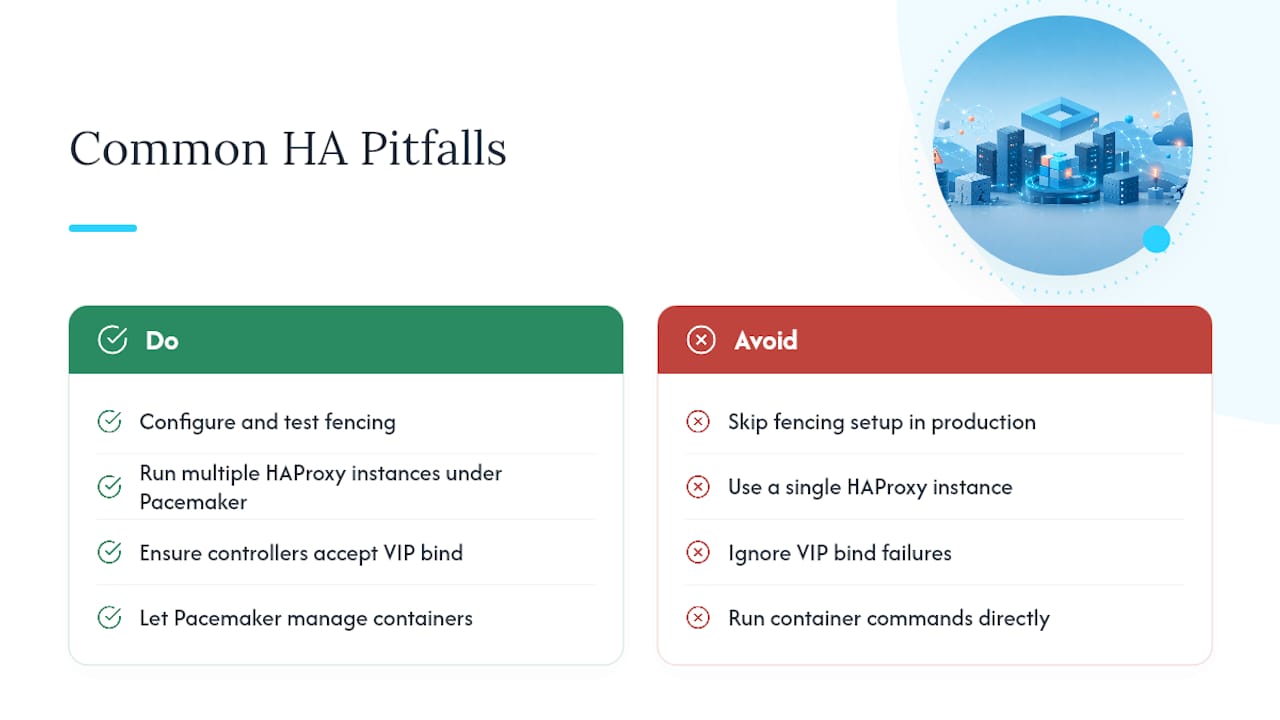
Fencing gets skipped more often than it should, usually because IPMI or iDRAC access wasn’t set up during initial deployment and nobody circled back. Production Pacemaker clusters require tested fencing. Without it, a network partition can leave two controllers each believing they’re the surviving node, and both start writing.
Running a single HAProxy instance defeats the purpose of clustering everything behind it. Multiple HAProxy instances, managed by Pacemaker or Keepalived, are what actually eliminates that entry point as a single point of failure.
Forgetting net.ipv4.ip_nonlocal_bind on every controller is a quiet failure. The VIP migrates on paper, but the standby refuses the bind, and the API just stops answering with no obvious error pointing at the real cause.
Pro Tip: When a bundle-managed container misbehaves, resist the urge to run podman restart directly. Let Pacemaker handle it through the resource agent, or you’ll fight the cluster manager for control of a container it thinks it already owns.
Who’s Behind This Guide
This guide comes from James, a contributor at Devopsaitoolkit focused on production OpenStack operations rather than lab demos. The goal here was practical fidelity to how these clusters actually fail, not a rehash of upstream architecture diagrams.
For deeper dives on specific failure modes, the Nova compute troubleshooting guide and the production-ready OpenStack build checklist both extend what’s covered here. If you’re planning Cinder backend redundancy specifically, the multi-backend volume-type design prompt is worth running through before you commit to a storage topology.
The Part of OpenStack HA Nobody Wants to Budget For
The architecture side of OpenStack HA is well documented. Three controllers, Pacemaker, Corosync, Galera, HAProxy. Anyone can copy that list off an upstream doc. What separates a cluster that survives a real incident from one that doesn’t is almost never the topology. It’s whether anyone tested the fencing device, whether the evacuation playbook has been run since the last time compute firmware got updated, and whether the team actually knows what pcs status looks like when things are fine, so they recognize when it isn’t.
Conventional advice treats HA as a deployment task: stand up Kolla-Ansible, get the bundles running, move on. That’s the easy 80%. Prioritize the drill schedule over adding more monitoring dashboards. A dashboard tells you something broke. A rehearsed drill tells you whether your response actually works.
— James
Get Expert Eyes on Your OpenStack HA Setup
Building the cluster is one thing. Knowing whether your fencing actually works under load, or whether your Corosync timeouts match your real network latency, is another. Devopsaitoolkit’s OpenStack / Kolla-Ansible Review is a one-time, $450 engagement that examines your existing controller architecture, bundle configuration, and failover behavior, then hands back prioritized findings you can act on immediately, not a generic checklist.

For teams that don’t want to own the operational burden long-term, Managed OpenStack and Kolla-Ansible Services puts ongoing cluster health, patching, and failover readiness on someone else’s plate, with pricing available on request. If you’d rather start smaller, the OpenStack Operations Toolkit at $79 gives you the runbooks and checklists to run these drills yourself. Book a review, or reach out to scope a retainer, and get a second set of eyes on the cluster before it’s tested by an actual outage.
Where to Go Deeper on OpenStack HA
Start with the Red Hat OpenStack Platform HA planning guide, then the Pacemaker and Corosync management docs for cluster stack details, and the OpenStack HA control plane guidance for VIP and kernel tuning specifics.
FAQ
Is OpenStack still relevant today?
Yes. OpenStack continues to run production private clouds at scale across telecom, research, and enterprise infrastructure, particularly where organizations need control over hardware and data residency that public cloud can’t offer. Its HA tooling, Pacemaker, Corosync, Galera, and Ceph integration, has matured specifically because production operators kept demanding it.
Does NASA still use OpenStack?
NASA’s early Nebula project helped seed what became OpenStack, but that specific deployment ended years ago. Individual government and research institutions still run OpenStack today, though current usage varies by agency and isn’t centrally tracked.
How do you set up high availability in OpenStack?
Start with three controller nodes running Pacemaker and Corosync for cluster management, Galera for database replication, and HAProxy behind a shared virtual IP for API traffic. Layer in fencing, kernel tuning for VIP binding, and Masakari or evacuation playbooks for compute-level recovery, then validate the whole setup with staged failover drills before going live.
Is OpenStack better than VMware for high availability?
They solve HA differently rather than one being universally better. VMware bundles HA and vMotion into a commercial, vendor-managed stack, while OpenStack relies on open-source components like Pacemaker and Galera that give you more control and lower licensing costs but require more hands-on cluster expertise to run reliably.
What’s the difference between Pacemaker and Corosync?
Corosync handles cluster membership, messaging, and quorum, essentially telling every node who else is alive and in what order events happened. Pacemaker uses that information to decide which resources run where and manages their lifecycle through Resource Agents, making it the layer that actually starts, stops, and fails over services.
Recommended
- Troubleshooting Nova Compute Failures in OpenStack
- Instance High Availability with OpenStack Masakari
- Planning OpenStack Upgrades Safely Without Downtime
- Getting OpenStack Day 2 Operations Right From the Start
Get 500 Battle-Tested DevOps AI Prompts — Free
500 battle-tested, copy-paste AI prompts engineered by a senior systems engineer — every one with fill-in placeholders and safety/back-out notes. Drop your email and it's yours.
- 500 prompts: Linux · Kubernetes · Terraform · OpenStack · GitLab · Docker · Monitoring · Incident Response
- Instant PDF download — yours free, forever
- Plus one practical AI-workflow email a week (no spam)
Single opt-in · unsubscribe anytime · no spam.