
Three Tier On Call Escalation With SLO Timers and Pasteable Matrix
Tool agnostic SRE playbook for on call escalation. Includes a pasteable policy matrix, SLO driven timeouts, empty schedule fallbacks, and testing steps.

On-call escalation is the rule set that decides who gets paged, in what order, and how fast the alert moves to the next person if nobody answers. The default that works for most services: page the service owner first, auto-escalate to a backup on a timeout tied to your acknowledgment SLO, and stop at three tiers. A copy-paste policy matrix follows below.
TL;DR:
- Escalation timeouts should be set just beyond your acknowledgment SLO, typically 5 to 15 minutes for P1 incidents, to ensure timely responses.
- Routing alerts directly to service owners, rather than generic queues, reduces triage delays and improves initial response accuracy.
- Avoid escalation beyond three tiers, as longer chains increase context loss and MTTR, and track metrics like MTTA and repeat-page counts to optimize policy effectiveness.
- Test escalation policies regularly through dry runs and incident simulations to identify coverage gaps and ensure proper alert flow before real incidents occur.
- Automation should handle mechanical decisions such as timeout expirations, while human judgment is reserved for assessing business impact and critical escalation points.
Table of Contents
- What Is On-Call Escalation and Why Does It Matter?
- What Are the Core Components of an Escalation Policy?
- How Do You Set Escalation Timeouts From Your SLO?
- Why Route Alerts to Service Owners Instead of Generic Queues?
- What Happens When the Schedule Is Empty?
- What Does a Sample Escalation Matrix Look Like?
- How Do You Test and Audit Escalation Policies?
- Practitioner Tips
- When Should Automation Decide, and When Should a Human?
- Sources
What Is On-Call Escalation and Why Does It Matter?
On-call escalation is the set of rules that routes an alert from person to person, or team to team, until someone acknowledges it and starts working the incident. Without it, an alert just sits in one inbox hoping the right human is awake.
Three patterns show up in most incident tooling:
- Hierarchical escalation moves up a chain: primary responder, then backup, then a manager or subject matter expert.
- Functional escalation hands the alert sideways, to a different team better equipped to fix the specific failure (database team instead of the app on-call).
- Automatic escalation fires on a timer, no human decision required, once the acknowledgment window expires.
Skip a clear policy and you get silent failures nobody notices until a customer complains, handoffs that lose context, and alert fatigue that trains engineers to ignore pages altogether.
What Are the Core Components of an Escalation Policy?
A workable policy has four moving parts, and most incident platforms map to them directly once you’ve written the policy down. Get sloppy on any one of these and the whole chain stalls.
- Tiers. Primary responder, backup, and an SME or manager. Three tiers cover nearly every incident type without turning the escalation path into a scavenger hunt.
- Delays. How long each tier waits before the alert moves on. This should never be a guess. It’s a number pulled from your acknowledgment SLO.
- Channels. Match the channel to severity. Slack carries context and history well for anything that isn’t an emergency. SMS and phone calls cut through for P1s because they interrupt sleep and silence, which Slack notifications rarely do.
- Role assignment. Decide who becomes Incident Commander and when. Auto-assign it to whoever acknowledges the P1 page first, rather than waiting for someone to volunteer mid-incident.
Write these four parts into your runbook, not just your paging tool. A documented escalation policy survives platform migrations and onboarding new hires; a policy that only exists as tool configuration does not.
Pro Tip: Document the “why” behind each delay, not just the number. A future engineer adjusting the policy needs to know it’s tied to a 5-minute SLO, not an arbitrary guess someone made two years ago.
How Do You Set Escalation Timeouts From Your SLO?
Your acknowledgment SLO sets the timeout, not the other way around. If your P1 SLO requires acknowledgment within 5 minutes, the escalation should fire around minute 6, giving the primary responder the full SLO window before the system gives up on them and moves on, according to incident.io’s escalation guidance.
Reasonable defaults by severity:
- P1: Immediate page, escalate at 5 to 15 minutes depending on your acknowledgment SLO.
- P2: Page during extended hours, escalate at 15 to 30 minutes.
- P3/P4: Defer to business-hours channels rather than paging at all.
Cap most services at three tiers. Beyond that, context degrades with every handoff and MTTR often gets worse, not better, since shorter escalation paths tend to reduce total resolution time even when fewer senior people get paged.
Track mean time to acknowledge (MTTA), repeat-page counts, and how often incidents run through every tier without resolution. Datadog’s own escalation tooling caps step counts at 10 and enforces a 1-minute minimum between steps, which tells you something: even platforms built for aggressive paging assume most policies should be far shorter than that ceiling.
Why Route Alerts to Service Owners Instead of Generic Queues?
Generic on-call queues force a human to triage before anyone qualified even sees the alert. That extra triage step is where minutes disappear during an incident that’s already burning your SLO.
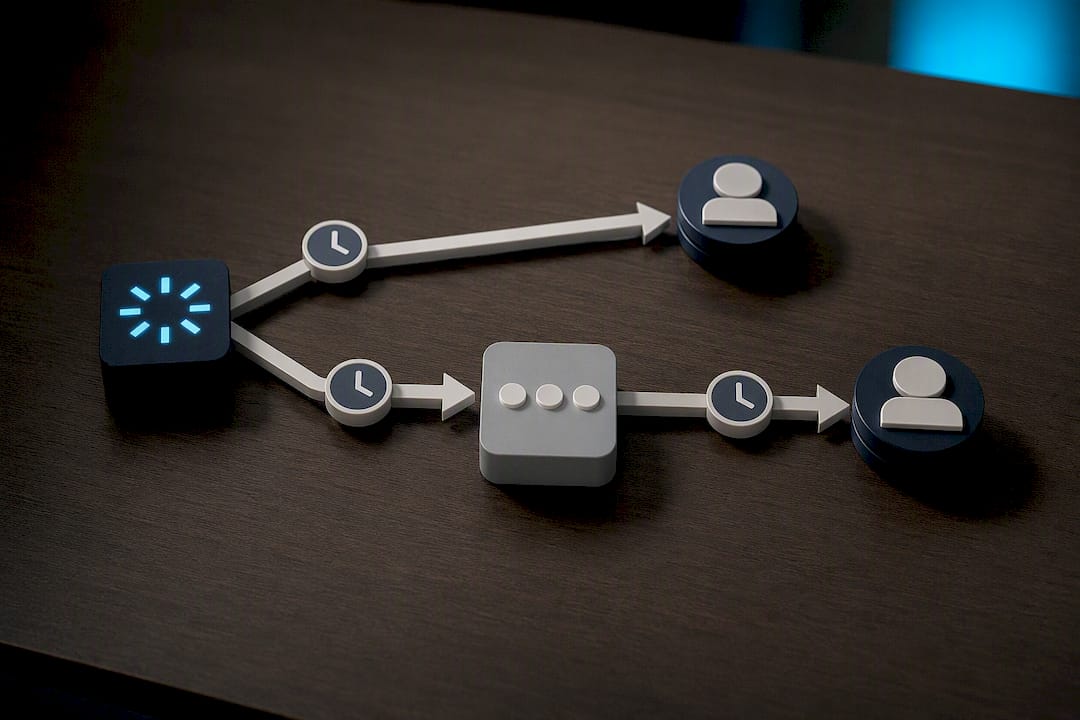
A service catalog fixes this by mapping each alert directly to the team that owns the underlying service, skipping the guesswork entirely. Routing alerts to service ownership instead of a shared queue is one of the more reliable ways to cut coordination overhead, because the right person gets paged on the first attempt instead of the third.
Building this out takes three concrete steps:
- Tag every alert source with service metadata at the point of ingestion, not after the fact.
- Connect your service catalog to the escalation path so ownership changes automatically update who gets paged.
- Validate ownership quarterly. Teams reorganize, services get inherited by new owners, and a stale catalog quietly reintroduces the exact triage bottleneck you built the catalog to eliminate.
AI-assisted routing can speed up the tagging and validation work, particularly for organizations running hundreds of services across multiple teams.
What Happens When the Schedule Is Empty?
Most platforms don’t skip an empty step automatically. They wait out the full configured timeout on that step before moving on, which means a coverage gap can silently add minutes to your response time if nobody built a fallback path.
Model this explicitly instead of trusting defaults:
- Set a dynamic fallback for any tier that could plausibly have zero coverage, routing straight to a secondary team if the primary schedule is empty.
- Keep a 24/7 fallback rotation for anything customer-facing, even if it’s a small, rotating pool of senior engineers.
- Protect against escalation loops. If a repeat cycle keeps re-paging the same person, widen the target to the next tier or a whole team instead of hammering the original responder again, since repeated pages to the same person tend to accelerate burnout rather than speed resolution.
- Route low-urgency alerts to a team channel during business hours rather than an automated page at all.
Pro Tip: Test your coverage-gap fallback the same way you test failover for production systems. An escalation policy nobody has ever exercised against an empty schedule is a policy you’re guessing about.
What Does a Sample Escalation Matrix Look Like?
A matrix you can paste directly into a runbook or platform config, adjusted for your own SLOs:
| Severity | Initial target | Timeout | Next tier | Channels | Notes |
|---|---|---|---|---|---|
| P1 | Primary on-call | 5 min | Backup, then SME | SMS + phone call | Auto-assign Incident Commander on ack |
| P2 | Primary on-call | 5 to 15 minutes | Backup | Slack + push | Business-hours override for internal-only services |
| P3 | Team channel | None | Manual pickup | Slack | No automated escalation |
Policy text to adapt:
P1 policy. Page the primary on-call immediately via SMS and phone. If unacknowledged after 5 minutes, escalate to backup. If unacknowledged after 10 minutes total, escalate to the SME or manager and notify the incident channel.
Translating this into your platform means filling four fields correctly for every row: the schedule or user, the team, the delay in minutes, and any repeat behavior. Get the repeat setting wrong and you’ll re-page the same exhausted engineer every five minutes all night, which is the fastest way to turn a good policy into one everyone mutes.
How Do You Test and Audit Escalation Policies?
A policy nobody has fired since launch day is a policy with unknown failure modes. Test it before an outage does.
- Run scheduled dry runs. Trigger a synthetic page monthly and confirm it reaches the right person on the right channel within the expected timeout.
- Simulate a non-response. Have the primary intentionally not acknowledge, and verify the escalation actually reaches the backup instead of silently timing out.
- Review after every real incident. Check whether the policy behaved as written or whether someone manually intervened to route around it.
Audit quarterly for coverage gaps, timeouts that no longer match current SLOs, tiers that repeat excessively, and incidents that escalated all the way to the final tier without resolution. Track MTTA against your target and flag any service where it’s drifting upward, since that’s usually the earliest sign a policy has gone stale.
Pro Tip: Keep a log of every escalation that reached the final tier. A pattern of P1s reaching the SME every time means your first two tiers aren’t actually resourced to handle P1s, whatever the org chart says.
Practitioner Tips
Three habits separate escalation policies that hold up under pressure from ones that just look good on paper.
Pack context into the alert itself. A page that includes what was already checked and what’s still unknown saves the next responder from starting cold, which is the same discipline behind good on-call handoffs in Slack.
Give first responders permission to escalate early. The expectation that the primary on-call should solve everything alone is the single most common reason escalation policies go unused. Escalating fast is a skill, not a failure.
Keep the tree shallow. Every additional tier is another handoff, another context loss, another minute added to MTTR. For rotation sizing that keeps tiers staffed without burning people out, see designing a healthy on-call rotation.
When Should Automation Decide, and When Should a Human?
Automation should own the decision whenever the rule is genuinely mechanical: SLO breached, timeout expired, escalate. That’s not a judgment call, and building it as one just adds delay.
Human judgment earns its place at the boundaries automation can’t see. Deciding whether to wake up a VP at 3 a.m. depends on business impact automation doesn’t have visibility into. Keep leadership alerts reserved for incidents with real customer or revenue exposure, and leave everything else in technical channels where the people actually fixing the problem aren’t competing with status updates.
The mistake I see most often isn’t a badly written policy. It’s a good policy nobody has touched since the day it launched. SLOs shift, teams reorganize, services get retired, and a policy that made sense a year ago quietly turns into dead weight. Review it on a schedule, not just after it fails you.
— James
Sources
For implementation detail beyond this playbook, start with incident.io’s escalation policy best practices and Datadog’s escalation policy documentation for platform-specific configuration limits. On the compensation side, William & Mary’s on-call policy is a useful reference for documenting response windows and callback pay. For deeper walkthroughs of the practices covered here, guides on rotation design and AI-assisted routing cover the automation side in more depth.
- Escalation policies — Datadog documentation
Recommended
- Cutting Escalation Time With AI: Page the Right Expert
- Designing Incident Escalation Policies That Actually Reach Someone
- Managing On-Call Handoffs in Slack So Nothing Falls Through the Cracks
- Designing an Incident Severity Matrix: Impact vs Urgency
Get 500 Battle-Tested DevOps AI Prompts — Free
500 battle-tested, copy-paste AI prompts engineered by a senior systems engineer — every one with fill-in placeholders and safety/back-out notes. Drop your email and it's yours.
- 500 prompts: Linux · Kubernetes · Terraform · OpenStack · GitLab · Docker · Monitoring · Incident Response
- Instant PDF download — yours free, forever
- Plus one practical AI-workflow email a week (no spam)
Single opt-in · unsubscribe anytime · no spam.