
Three Deliverables A Kubernetes Security Audit Must Produce For SREs
Practitioner checklist for Kubernetes security audits. Capture three core deliverables: prioritized findings, immutable evidence, and a remediation plan;...

A Kubernetes security audit is a repeatable, evidence-backed review of your cluster’s configuration, access controls, and workloads. Done right, it produces three things: prioritized findings ranked by exploitability, immutable evidence like audit logs and config snapshots, and a remediation plan you can hand to engineering. Every serious audit maps back to the CIS Kubernetes Benchmark, the OWASP Kubernetes Security Testing Guide, and Kubernetes’ own documentation on securing a cluster.
TL;DR:
- Audit logs should be set to request or request-response levels with external webhooks to ensure tamper-proof evidence collection.
- Define a specific scope based on cluster boundaries, time windows, and essential evidence like audit logs, manifests, and node logs to prevent scope creep.
- Focus on critical domains such as control plane security, RBAC, pod security, network policies, secrets encryption, supply chain integrity, and node hardening during assessment.
- Use simple tools like kubectl and jq for quick, high-signal checks, complemented by CIS benchmarks and Snapshot evidences for comprehensive review.
- After an incident, rotate compromised credentials, analyze audit logs for attack pathways, and incorporate lessons learned into continuous monitoring and policy enforcement.
Table of Contents
- Why Audit Logging Is the Foundation of a Kubernetes Security Audit
- How Do You Define the Scope of a Kubernetes Security Audit?
- Which kube-apiserver Flags Actually Matter for Audit Logging?
- What Should You Check Across Every Kubernetes Security Domain?
- What Tools Speed Up Kubernetes Security Assessment?
- How Do You Prioritize and Remediate What the Audit Finds?
- How DevOps AI ToolKit Approaches Kubernetes Audits
- What Should Happen Immediately After a Kubernetes Security Audit?
- How Do You Keep Monitoring Cluster Security After the Audit Ends?
- Building Audits Into How Platform Teams Actually Operate
- Turn These Checklists Into Repeatable Workflows
- Sources
Why Audit Logging Is the Foundation of a Kubernetes Security Audit
You can’t audit what you can’t see. Audit logs answer who did what, on which resource, at what time, and from where. Without them, an incident investigation turns into guesswork, and a compliance auditor has nothing to inspect.
Kubernetes lets you tune exactly how much detail gets recorded through an audit policy file, which assigns a level to each rule:
- None — skip logging entirely for low-value, high-volume events (like health checks).
- Metadata — log request metadata (user, timestamp, resource) but not the payload.
- Request — log metadata plus the request body, useful for write operations.
- RequestResponse — log everything, including the response body; reserve this for sensitive resources like Secrets or RBAC bindings.
You then pick a backend. File backends are simple and cheap but live on the node unless you ship them elsewhere. Webhook backends stream events to an external system in near real time, which is better for forensics but adds latency risk if the receiver is slow. Either way, Kubernetes’ own guidance is blunt on this point: archive logs outside the cluster, on infrastructure an attacker who compromises the cluster can’t also reach, so nothing can be tampered with after the fact.
How Do You Define the Scope of a Kubernetes Security Audit?
Scope creep kills audits before they start. Define boundaries first, then collect evidence against them.
- Pick your cluster boundary. Decide whether the audit covers one cluster, a fleet, or specific namespaces tied to a compliance framework (production only, or production plus staging).
- Set a time window. Audits tied to an incident need a tight window; periodic compliance audits usually cover a defined log retention period according to compliance requirements.
- List the evidence you need. At minimum: kube-apiserver audit logs, kubeconfig files in use, current manifests (Deployments, RBAC bindings, NetworkPolicies), node-level logs, and image provenance records for anything running in the cluster.
- Identify stakeholders. Platform engineering owns remediation; security owns risk acceptance; compliance owns retention requirements. Get all three aligned before you start pulling evidence.
- Set a retention window for the audit itself. Most regulated environments expect audit evidence and remediation proof kept for at least a year, sometimes longer depending on your framework.
Pro Tip: Snapshot RBAC bindings and NetworkPolicies as YAML before you touch anything. A “before” snapshot is the only way to prove what changed during remediation, and it saves you from arguing with engineering about what the cluster looked like on day one.
Which kube-apiserver Flags Actually Matter for Audit Logging?
The policy file only works if the flags pointing to it are set correctly. --audit-policy-file tells kube-apiserver where to find your rules; without it, no audit events are recorded no matter how well you’ve designed your policy.
For file-based logging, four flags control retention and rotation:
--audit-log-path— where the log file lives.--audit-log-maxage— how many days to keep old log files.--audit-log-maxbackup— how many rotated files to retain.--audit-log-maxsize— the size in megabytes before rotation kicks in.
If you’re using a webhook backend, pay attention to initial-backoff for retry timing and whether the backend runs in batch or blocking mode. Blocking mode guarantees delivery but can stall API requests if your webhook receiver falls behind, which is a real availability risk during a traffic spike. Batching mode trades a small window of potential log loss for API responsiveness.
Before you finalize sizing, estimate your events per second from typical API request volume, then choose buffer and batch sizes so the backend can keep up without threatening API availability. A cluster running a few hundred requests per second needs meaningfully larger buffers than a small internal cluster, and guessing wrong here is how audit logging becomes the outage instead of the safeguard.
What Should You Check Across Every Kubernetes Security Domain?
A domain-by-domain pass keeps the audit from turning into an unfocused scroll through YAML. The OWASP KSTG structures this exact kind of top-down assessment, and it maps cleanly onto seven areas:
- Control plane and etcd: Confirm etcd is reachable only from control-plane nodes, TLS is enforced on all internal traffic, and backups are encrypted and tested for restore integrity. Write access to etcd is effectively root on the cluster, so treat it accordingly.
- RBAC: Pull every ClusterRoleBinding tied to
cluster-adminand question each one. Flag wildcard verbs (*) on any Role, and check whether service-account tokens are auto-mounted into pods that never need API access. - Pod security: Look for privileged containers,
hostPathmounts, and containers running as root. Confirm Pod Security Standards are enforced atbaselineorrestricted, not justprivilegedby default. - Network: Verify a default-deny NetworkPolicy exists per namespace before allow rules get layered on top, and check egress controls separately from ingress.
- Secrets: Confirm nothing sensitive lives in a ConfigMap, and that encryption at rest is enabled for Secret objects via a KMS provider.
- Supply chain: Flag any Deployment referencing an
:latesttag, and confirm images are scanned for CVEs with provenance verified before deployment. - Runtime and node: Check kubelet’s authorization mode isn’t set to
AlwaysAllow, confirm TLS bootstrapping is enforced, and review host-level hardening the same way you’d approach CIS-based Linux server hardening.
For a deeper walkthrough of the RBAC and network pieces specifically, this hardening breakdown covers containment patterns worth pairing with your checklist.
What Tools Speed Up Kubernetes Security Assessment?
You don’t need a heavyweight platform to get a useful first pass. A few kubectl commands piped through jq will surface most of the high-signal issues in under an hour.
- Run a fast, opinionated first pass. A pattern like k8s-audit runs roughly 16 high-signal checks using nothing but
kubectlandjq, mapped against a 50-point hardening checklist, which is enough to catch the obvious misconfigurations before you go deeper. - Feed audit logs into a least-privilege analysis. Compare the verbs actually exercised in your audit logs against the verbs granted in RBAC. Tools built around this pattern, including privilege-escalation path analysis, can turn a pile of RBAC bindings into a visual map of how an attacker would move laterally.
- Run a CIS-aligned scanner for depth. Once the quick pass is clean, tools like kube-bench implement the CIS Kubernetes Benchmark test by test, which is what a compliance auditor will actually want to see.
- Snapshot everything for offline review. Export manifests, RBAC bindings, and NetworkPolicies to a read-only directory before you start making changes, so findings can be reviewed without touching a live cluster.
Pro Tip: Run the lightweight check first, always. It takes minutes and tells you whether you’re looking at a five-item cleanup or a structural RBAC problem that needs a full afternoon.
How Do You Prioritize and Remediate What the Audit Finds?
Not every finding deserves the same urgency. Score each one against four factors: exploitability (can it be reached without prior access), blast radius (what does it touch if abused), detectability (would you notice it happening), and compliance impact (does it violate a framework you’re bound to).
- Quick fixes usually clear in a day: revoke unused
cluster-adminbindings, disable service-account token auto-mount on pods that don’t need API access, apply a default-deny NetworkPolicy. - Larger fixes take longer: migrating privileged workloads to Pod Security Standards enforcement, rearchitecting network segmentation, or rebuilding image pipelines around signed provenance.
- Verify everything. Re-run your check after each fix and capture the passing result as evidence, not just the fix itself.
- Retain proof. Keep remediation verification artifacts for the same window as your audit evidence, typically a year or more depending on your compliance framework.
How DevOps AI ToolKit Approaches Kubernetes Audits
James has spent enough hours staring at RBAC dumps to know the manual approach doesn’t scale past a handful of namespaces. The workflow that actually holds up combines AI-assisted manifest review with the RBAC least-privilege comparisons described above, turning a slow manual grep session into a structured pass that flags wildcard verbs, orphaned bindings, and privileged pod specs more quickly than a manual review.
- The manifest-auditing workflow shows exactly how AI prompts extract and rank findings from raw YAML.
- Prompt packs built for this work draft remediation YAML, helping shorten the gap between identifying and fixing issues.
- The audit-policy walkthrough pairs with this to cover the logging half of the equation.
What Should Happen Immediately After a Kubernetes Security Audit?
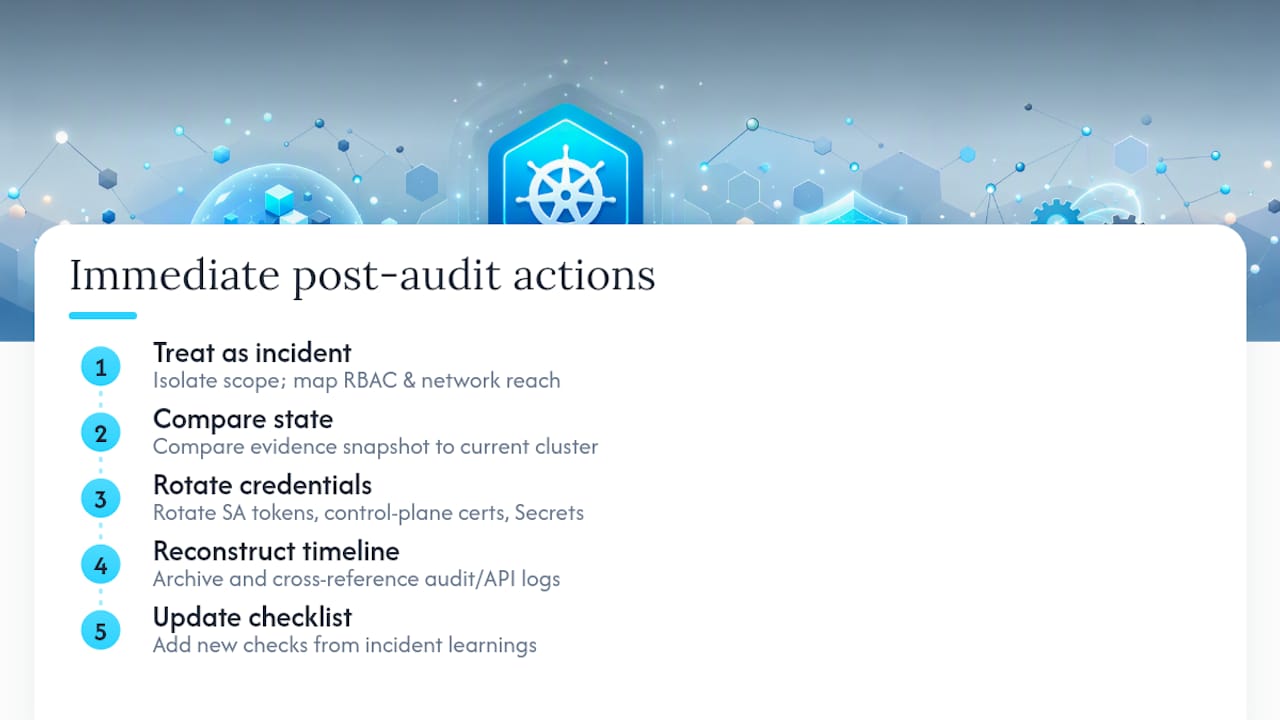
An audit that ends with a findings document and nothing else is only half finished. The moment you confirm a live exposure, an exposed API server, a cluster-admin binding on a compromised service account, an unencrypted Secret, treat it as an incident, not a backlog item.
Start by isolating scope. Use the RBAC and network findings from your audit to figure out what the exposed identity or workload could actually reach, not just what it was configured to reach. This is where your evidence snapshot pays off: you already have the “before” state, so you can compare it against current cluster state to spot unauthorized changes fast.
Next, rotate anything the exposure could have touched. Service-account tokens, TLS certificates on the control plane, and any Secrets accessible from the affected namespace should all be considered compromised until proven otherwise. Don’t wait for a full forensic timeline before rotating; credentials are cheap to replace and expensive to leave live.
Then reconstruct the timeline using audit logs. This is the exact reason Kubernetes’ security guidance pushes so hard on archiving logs externally: if your only copy of the audit trail lived on the compromised cluster, you may have already lost it. Cross-reference API request logs against your RBAC snapshot to confirm exactly which verbs were exercised and when.
Finally, feed what you learned back into the audit checklist itself. Every incident response should produce at least one new check you didn’t have before. That’s how a one-time audit becomes an actual security program instead of a report that ages badly on a shared drive.
How Do You Keep Monitoring Cluster Security After the Audit Ends?
A point-in-time audit tells you where you stood on the day you ran it. Configuration drifts within weeks: a new Deployment ships with a privileged container, a service account gets broader permissions than it needs, an image pipeline quietly starts pulling :latest again. Continuous monitoring is what catches that drift before it becomes next year’s finding.
Start with your audit logs as a live signal, not just a forensic archive. Streaming audit events into a monitoring system lets you alert on the same patterns your audit flagged manually, wildcard verb usage, new cluster-admin bindings, unusual exec calls into pods, so you find them in hours instead of at the next scheduled review.
Layer in scheduled CIS-aligned scans on a recurring basis, not just during formal audit windows. Running a benchmark scanner weekly or on every cluster change catches configuration drift while it’s still small and easy to reverse. Pair that with continuous image scanning in your CI/CD pipeline, so a vulnerable dependency gets flagged before it ever reaches a running pod rather than during the next quarterly audit.
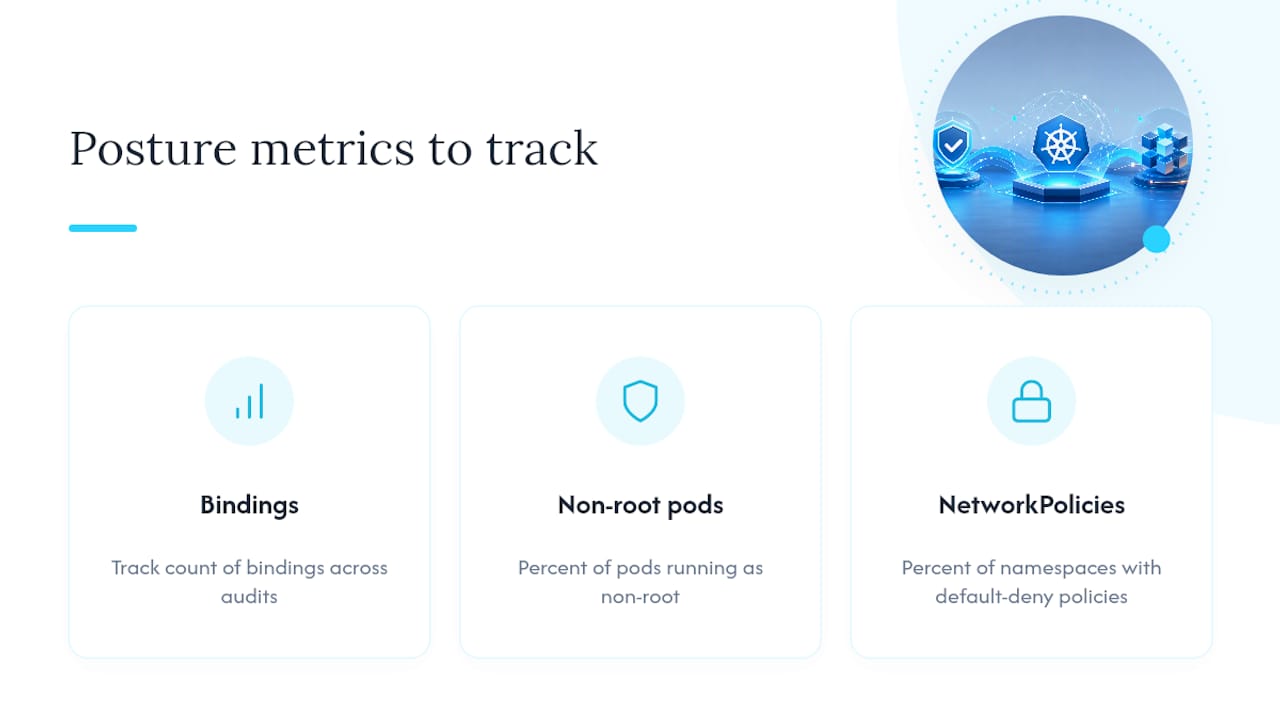
Track a small set of posture metrics over time rather than treating each audit as a fresh start: count of cluster-admin bindings, percentage of pods running as non-root, percentage of namespaces with default-deny NetworkPolicies in place. Watching these numbers trend in the right direction across audits is a far better signal of program health than any single clean report.
Building Audits Into How Platform Teams Actually Operate
Audits stop being a periodic scramble once you push the checks into CI/CD and enforce them with policy-as-code and admission controllers, catching violations before deployment instead of during next quarter’s review. Set concrete re-audit triggers, a new namespace, a CVE disclosure, a compliance deadline, rather than relying on the calendar. That shift from an annual event to a continuous posture check is the real difference between passing an audit and actually being secure.
— James
Turn These Checklists Into Repeatable Workflows
Running through every domain in this guide by hand, RBAC bindings, audit policy tuning, image provenance, works but it eats a full day every time you repeat it. The Linux Admin Prompt Pack and the broader automation prompt library turn the manual steps in this article into reusable prompts: draft a remediation YAML from a flagged finding, generate an audit-policy file for a given resource set, or produce a first-pass RBAC least-privilege report in minutes instead of an afternoon.

What auditors actually get is a set of reusable prompts and templates built around the exact evidence categories covered above, not generic security advice, but drafts you can adapt to your own cluster in one pass. If you’re running audits for a regulated environment, pairing this with a framework-specific approach like a HIPAA risk assessment helps map cluster findings to the compliance language your auditors expect. Check the pricing page for current plans, or browse the AI DevOps tools collection to see the incident-response and review tooling built around this exact workflow.
Sources
- Auditing
- OWASP Kubernetes Security Testing Guide
- CIS Kubernetes Benchmark
- k8s-audit (k8s-security.pro)
Recommended
- Kubernetes Security Hardening: Pods, RBAC, and Network Policy That Actually Contain a Breach
- Auditing Kubernetes Manifests With AI: A Practical Workflow
- AI-Assisted Kubernetes RBAC Least-Privilege Audits
- Securing a Kubernetes Cluster: Pod Security and Admission
Get 500 Battle-Tested DevOps AI Prompts — Free
500 battle-tested, copy-paste AI prompts engineered by a senior systems engineer — every one with fill-in placeholders and safety/back-out notes. Drop your email and it's yours.
- 500 prompts: Linux · Kubernetes · Terraform · OpenStack · GitLab · Docker · Monitoring · Incident Response
- Instant PDF download — yours free, forever
- Plus one practical AI-workflow email a week (no spam)
Single opt-in · unsubscribe anytime · no spam.