
Engineers: Validate YAML with yamllint, JSON Schema, kubectl-validate
YAML validation for engineers: catch parse errors with yamllint, enforce JSON Schema checks, and preflight with kubectl-validate in editor and CI.

The fastest way to validate YAML is layered: run it through a parser first (a browser tool, an editor’s language server, or a CLI linter), then check it against a schema when structure matters, using JSON Schema or a YAML-native schema like yaml-schema. For Kubernetes manifests, add kubectl-validate as a preflight step. Do this in your editor and again in CI, so bad YAML never reaches production.
TL;DR:
- Running YAML through a parser and schema validation helps catch syntax errors, missing fields, and incorrect data types before deployment.
- Browser tools are suitable for quick syntax checks, but avoid sharing sensitive information with third-party validators.
- Incorporating
yamllint, JSON Schema validation, andkubectl-validateinto your CI pipeline greatly reduces late-stage deployment failures.- Popular YAML mistakes include tab indentation, misaligned keys, and unquoted special characters, which linters can quickly identify.
- Automating validation with editor plugins, pre-commit hooks, and structured CI stages enforces early error detection and improves overall YAML quality.
Table of Contents
- How to Validate YAML: Which Method Fits Right Now?
- What Do YAML Syntax Checkers Actually Catch?
- How Do You Validate YAML Against a Schema?
- How Do You Validate Kubernetes YAML Before You Apply It?
- Command-Line Workflows You Can Copy Right Now
- How Do You Shift YAML Validation Left?
- The Most Common YAML Mistakes and Their Fixes
- A Compact YAML Validation Pipeline Worth Copying
- Why teams skip schema checks until it’s too late
- How DevOps AI ToolKit Helps You Validate YAML at Scale
- Sources
How to Validate YAML: Which Method Fits Right Now?
You don’t need every tool for every file. Match the method to the moment:
- Pasting a config someone sent you? Use a browser-based validator for a quick syntax check, but never paste anything with credentials, tokens, or internal hostnames into a third-party site.
- Writing YAML in your editor? Turn on live validation through the YAML language server so errors surface as you type.
- Scripting or automating checks? Reach for a CLI parser or linter you can wire into a pre-commit hook or a build step.
- Working with structured configs (API definitions, app settings)? Add schema validation on top of syntax checks.
- Deploying to Kubernetes? Run
kubectl-validateagainst your manifests before you ever runkubectl apply.
If you only do one thing today, run yamllint your-file.yaml locally, then decide whether schema or Kubernetes checks apply.
What Do YAML Syntax Checkers Actually Catch?
Syntax checkers catch the mechanical stuff that breaks a parser before you even get to logic errors: tabs mixed with spaces, inconsistent indentation between sibling keys, duplicate mapping keys, and unclosed or mismatched quotes. YAML 1.2, the current specification most modern parsers implement, is strict about indentation acting as structure, which is exactly why a single stray tab character can break an otherwise correct file.
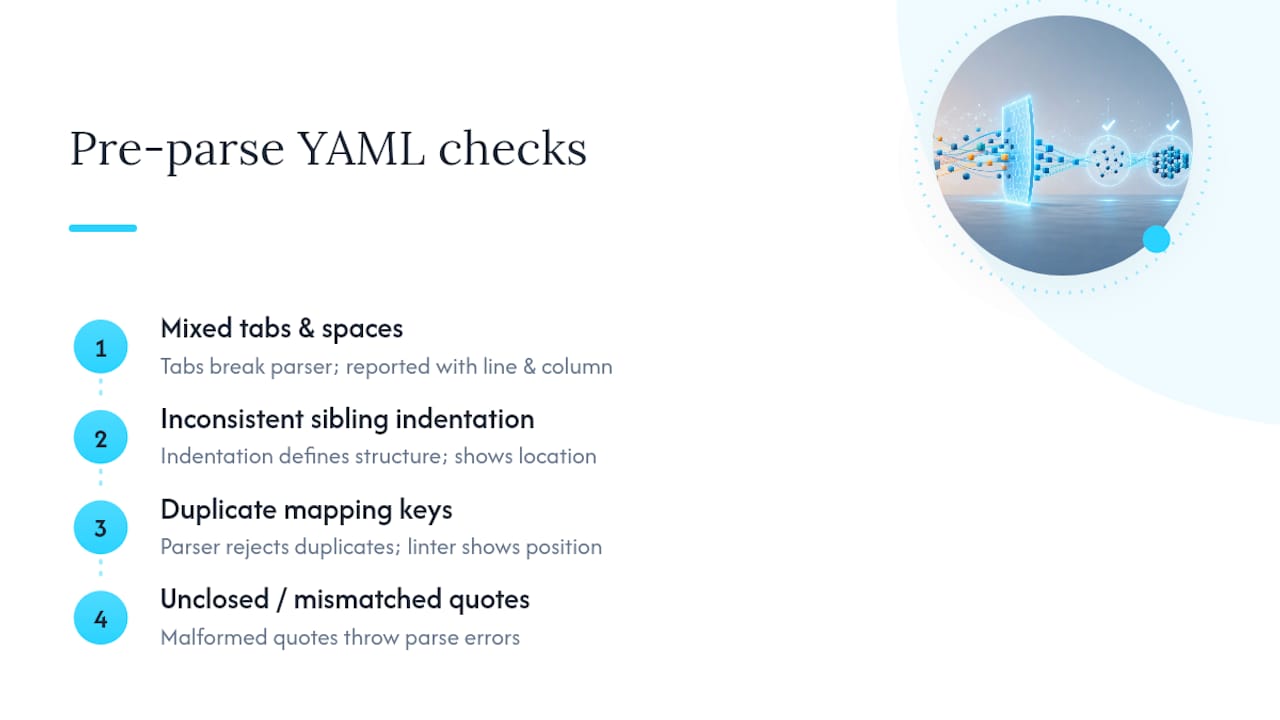
yamllint is the standard CLI linter for this layer. Running yamllint config.yaml reports each problem with a line and column number, so you’re not hunting through a 400-line file by eye. The VS Code YAML extension, built on a language server, gives you the same feedback live as you type, underlining the offending line before you save.
For quick scripting checks, Python’s pyyaml library lets you confirm a file parses with a one-liner: python -c "import yaml; yaml.safe_load(open('file.yaml'))". It throws an exception on malformed YAML, which you can catch in a script. For simple field extraction and sanity checks, yq '.spec.replicas' file.yaml doubles as a fast smoke test, since it fails loudly if the document won’t parse. Most of these tools return a nonzero exit code on failure, which matters the moment you wire them into CI.
How Do You Validate YAML Against a Schema?
Syntax-valid YAML can still be structurally wrong: a missing required field, a string where a number belongs, or a typo in a key name that a parser happily accepts. That’s what schema validation catches, and it’s a distinct step from linting.
JSON Schema is the industry-standard choice here, mainly because JSON and YAML share a compatible data model. A schema written once in JSON Schema format can validate YAML files directly, without any translation layer, which makes it the most portable option across languages and tools.

A minimal example looks like this. Given a schema that requires a name string and a port integer:
type: object
required: [name, port]
properties:
  name:
    type: string
  port:
    type: integer
A YAML file with port: "8080" (a quoted string instead of a number) fails validation immediately, even though it parses as valid YAML on its own.
- Use a JSON Schema library (Python’s
jsonschema, Node’sajv, or similar) to run the check programmatically. - Point the validator at both the schema file and the target YAML document.
- Fail the build on any schema violation, not just parse errors.
YAML supports a few things JSON Schema wasn’t built to reason about, like anchors, aliases, and non-string mapping keys. When those matter, a YAML-native format such as yaml-schema is often the better fit, since it validates YAML instances against YAML-formatted schemas directly and can emit JSON-formatted errors for CI consumption.
How Do You Validate Kubernetes YAML Before You Apply It?
A Kubernetes manifest can be perfectly valid YAML and still get rejected by the API server, or worse, get accepted and misbehave. Well-formedness and Kubernetes schema correctness are two separate problems, and treating them as one is how deprecated apiVersion fields and missing resource limits slip through code review.
kubectl-validate, maintained by Kubernetes SIG-CLI, closes that gap. It checks manifests and custom resources against built-in Kubernetes API schemas, locally or in CI, without needing a live cluster:
kubectl-validate manifest.yamlvalidates against the schema for your current context.kubectl-validate --version=1.30 manifest.yamltargets a specific Kubernetes release, useful when your cluster and local kubectl version drift apart.kubectl-validate --local-crds ./crds manifest.yamlvalidates custom resources against CRDs you provide, rather than ones already installed in a cluster.- JSON output options let CI systems parse results instead of scraping console text.
Validators that also flag best-practice gaps, like a missing readiness probe or absent resource limits, catch issues a schema check alone would miss. Running this preflight in CI, rather than discovering it at deploy time, is the single change that eliminates the most late-stage pipeline failures.
Command-Line Workflows You Can Copy Right Now
These commands catch either a parse failure or a schema violation, and each one gives you an exit code you can branch on in a script.
- Parse-only check:
python -c "import yaml,sys; yaml.safe_load(open(sys.argv[1]))" file.yamlexits0on success and nonzero with a traceback on malformed YAML. - Lint with line numbers:
yamllint -f parsable file.yamlprints errors in afile:line:columnformat that’s easy to grep or pipe into a report. - Schema validation with JSON errors: tools built around yaml-schema can return exit code 0 on success and 1 on failure, with structured JSON error output so a CI dashboard can render exactly which field failed and why.
- Kubernetes preflight:
kubectl-validate manifests/*.yamlruns across a whole directory in one pass, useful right before a merge.
Chain these in a script with && so a parse failure stops the pipeline before schema or Kubernetes checks even run. That order, syntax first, then structure, saves you from confusing error messages caused by a file that was never valid YAML to begin with.
How Do You Shift YAML Validation Left?
Catching problems in your editor and pre-commit hook is cheaper than catching them in a failed pipeline run. Attach a JSON Schema to specific file patterns in VS Code’s settings (via yaml.schemas), and the editor validates and autocompletes against that schema as you type, no separate command needed.
- Add a pre-commit hook running
yamllintand your schema validator on staged.yamlfiles. - Order your CI stages deliberately: parse check, then schema validation, then
kubectl-validatefor anything Kubernetes-related. - Fail the earliest stage that catches a given error. There’s no reason to wait for a Kubernetes preflight check to catch a duplicate key a linter would have flagged in half a second.
Pro Tip: Emit JSON-formatted validation output at every stage, even in pre-commit hooks. It costs nothing when everything passes, but it turns a failing CI run into a dashboard-readable error instead of a wall of console text someone has to scroll through.
Our guide on generating YAML dynamically in GitLab pipelines walks through exactly this staging pattern for child pipelines.
The Most Common YAML Mistakes and Their Fixes
Most YAML failures trace back to a handful of repeat offenders, and linters report all of them with a specific line and column, so the fix is usually a thirty-second edit once you know what you’re looking at.
- Tabs instead of spaces: YAML forbids tabs for indentation. Replace them with spaces, and configure your editor to insert spaces automatically.
- Misaligned sibling keys: Two keys at the same nesting level need identical indentation. A one-space mismatch breaks the structure silently.
- Missing space after a colon:
key:valueis invalid; it needs to bekey: value. This one trips up more engineers than it should. - Unquoted special characters: values starting with
*,&,%, or containing a colon followed by a space, need quotes to avoid being misread as YAML syntax. - Duplicate mapping keys: the second occurrence silently overwrites the first in most parsers, with no warning unless your linter flags it explicitly.
When a parser reports line 14, column 3, open your editor’s go-to-line feature and check that exact position, not just the general area. Indentation errors often report a few characters after where the actual problem starts.
A Compact YAML Validation Pipeline Worth Copying
A workable pipeline doesn’t need to be elaborate. Editor linting catches typos as you write. A pre-commit hook runs yamllint and a schema check before code even reaches a pull request. CI repeats both, then adds kubectl-validate for anything Kubernetes-bound, targeting the exact API version your cluster runs.
- Editor: YAML language server with schema associations for live feedback.
- Pre-commit:
yamllintplus a JSON Schema or yaml-schema check on staged files. - CI: parse check, schema validation, then
kubectl-validatewith--local-crdsfor custom resources.
Teams that add schema and Kubernetes checks to CI consistently see fewer apply-time failures, since most of the issues that used to surface at deploy time now get caught in review. For a deeper walkthrough of wiring this into manifest review specifically, see our guide on auditing Kubernetes manifests with AI-assisted checks.
Why teams skip schema checks until it’s too late
Most teams adopt YAML linting early and stop there, treating a clean parse as proof the config is correct. It isn’t. Adding schema and Kubernetes checks to CI catches the failures that actually cost deploy time, not the cosmetic ones a linter flags. Start with the Ansible lint and test pipeline prompt if you want a concrete template.
— James
How DevOps AI ToolKit Helps You Validate YAML at Scale
Setting up the pipeline described above by hand, editor config, pre-commit hooks, CI stages, and Kubernetes-specific checks, takes real setup time across every repo you maintain. Packages that work into ready-to-use automation prompts, validation playbooks, and troubleshooting guides built specifically for engineers running Linux, Kubernetes, GitLab, and Terraform in production.

Instead of assembling schema checks and CI stages from scratch every time you start a new repo, you get prompt libraries and downloadable workflow packs designed around exactly the pipeline this guide walks through. If manual YAML review and repeated debugging cycles are eating your week, the AI DevOps Tools collection covers incident triage and validation automation you can drop straight into an existing setup. Browse the full toolkit at Devopsaitoolkit and see which prompt pack or audit fits your infrastructure first.
Sources
- JSON Schema Everywhere — YAML
- yaml-schema / yaml-schema
- YAML Validator — Validate YAML Online | Schema Validation
Recommended
- Parsing YAML in Bash and Python: yq and PyYAML Without the
- Ansible Error Guide: ‘Syntax Error while loading YAML’ — Fix
- Testing Helm Charts Before They Reach Production
- Generating values.schema.json for Helm Charts With AI
Get 500 Battle-Tested DevOps AI Prompts — Free
500 battle-tested, copy-paste AI prompts engineered by a senior systems engineer — every one with fill-in placeholders and safety/back-out notes. Drop your email and it's yours.
- 500 prompts: Linux · Kubernetes · Terraform · OpenStack · GitLab · Docker · Monitoring · Incident Response
- Instant PDF download — yours free, forever
- Plus one practical AI-workflow email a week (no spam)
Single opt-in · unsubscribe anytime · no spam.