
ChatGPT DevOps Workflow Integration: A Practical Guide
Discover how chatgpt devops workflow integration can cut repetitive tasks by 70% and speed up production. Start automating today!

ChatGPT DevOps workflow integration is the practice of connecting large language model APIs directly into CI/CD pipelines, infrastructure automation, and team collaboration tools to replace manual cognitive work with AI-driven decisions. Done right, it cuts repetitive manual tasks by 70% and compresses idea-to-production time from days to seconds. That is not a future promise. Engineers are doing it right now with GitHub Actions, OpenAI Codex, and Model Context Protocol servers. This guide walks you through prerequisites, step-by-step integration, advanced agentic patterns, and the troubleshooting traps that will cost you time if you skip them.
What do you need before ChatGPT DevOps workflow integration?
Getting the prerequisites right saves you from rebuilding your setup three times. The core requirement is API access to an OpenAI model, either GPT-4o or the newer GPT-5.5 family, depending on your reasoning and code generation needs. OpenAI Codex remains the standard choice for code-specific tasks inside pipelines.
Beyond the model, you need a CI/CD platform that supports webhook triggers or native plugin architecture. GitHub Actions is the most common entry point because its YAML-based workflow syntax maps cleanly to API call steps. Octopus Deploy is a strong alternative for teams managing complex release orchestration. The industry standard for AI integration uses Model Context Protocol (MCP) servers for secure, bi-directional communication between LLMs and CI/CD platforms. MCP removes the need for manual context switching between tools, which is where most ad-hoc integrations fall apart.
Security is non-negotiable before you write a single workflow step. You need:
- API key management: Store keys in a secrets manager like HashiCorp Vault or AWS Secrets Manager, never in environment variables committed to source control.
- Policy engines: Open Policy Agent (OPA) with Rego policies acts as a deterministic gate that can abort unsafe LLM outputs before they touch infrastructure.
- Scoped permissions: Separate service accounts for diagnostic agents (read-only) and remediation agents (restricted write).
- Audit logging: Every AI decision needs a traceable log entry for compliance and post-incident review.
Pro Tip: Before writing any integration code, map the exact friction point you are solving. A review queue that takes four hours is a measurable target. “Make DevOps smarter” is not.
| Tool category | Role in integration |
|---|---|
| OpenAI API (GPT-4o, Codex) | Language model for code review, log analysis, doc generation |
| GitHub Actions / Octopus Deploy | CI/CD trigger and workflow orchestration |
| MCP server | Secure LLM-to-tool communication layer |
| HashiCorp Vault / AWS Secrets Manager | API key and secrets storage |
| Open Policy Agent (OPA) | Policy enforcement and unsafe output prevention |
| Middleware runner scripts | API call handling between pipeline steps and ChatGPT |
How do you integrate ChatGPT into CI/CD pipelines step by step?
Middleware scripts or runners handle the secure communication between ChatGPT APIs and your CI/CD triggers. Think of them as translators: they take pipeline events, format them as prompts, call the API, and return structured outputs your pipeline can act on. Here is a practical sequence that works in production.
-
Set up your trigger. In GitHub Actions, create a workflow that fires on
pull_requestorpushevents. Add a step that calls a middleware script, passing the relevant context (diff, log output, or deployment manifest) as input. -
Build the middleware runner. Write a Python or Bash script that constructs a prompt from the pipeline context, calls the OpenAI API with the appropriate model, and returns a structured JSON response. Keep prompts focused. A prompt asking for a code review of a specific diff performs better than a generic “review this code” instruction.
-
Automate pull request code review. Post the ChatGPT response as a PR comment using the GitHub API. Flag issues by severity so developers see critical problems first. This step alone removes the bottleneck of waiting for a senior engineer to review every change.
-
Add automated log analysis. When a build fails, pass the last 100 lines of the failure log to ChatGPT with a prompt asking for the root cause and a suggested fix. ChatGPT integration automates log analysis and cuts the time engineers spend reading walls of output. Post the diagnosis as a pipeline annotation or Slack message.
-
Generate release notes automatically. After a successful deployment, pass the merged PR titles and commit messages to ChatGPT with a structured prompt. Output a formatted changelog to your documentation system or Confluence page.
-
Add approval gates. Integrate approval gates in pipelines that escalate low-confidence AI decisions for human review. Set a confidence threshold in your middleware. If the model returns a low-confidence flag or an ambiguous recommendation, pause the pipeline and notify the on-call engineer.
-
Test and iterate. Run the integration against a staging pipeline first. Measure false positive rates on code review comments and tune your prompts before enabling it on production branches.
Pro Tip: Use structured output mode (JSON schema enforcement) in the OpenAI API. It prevents free-form text responses from breaking your downstream parsing logic.
What are the best architectural patterns for autonomous DevOps agents?
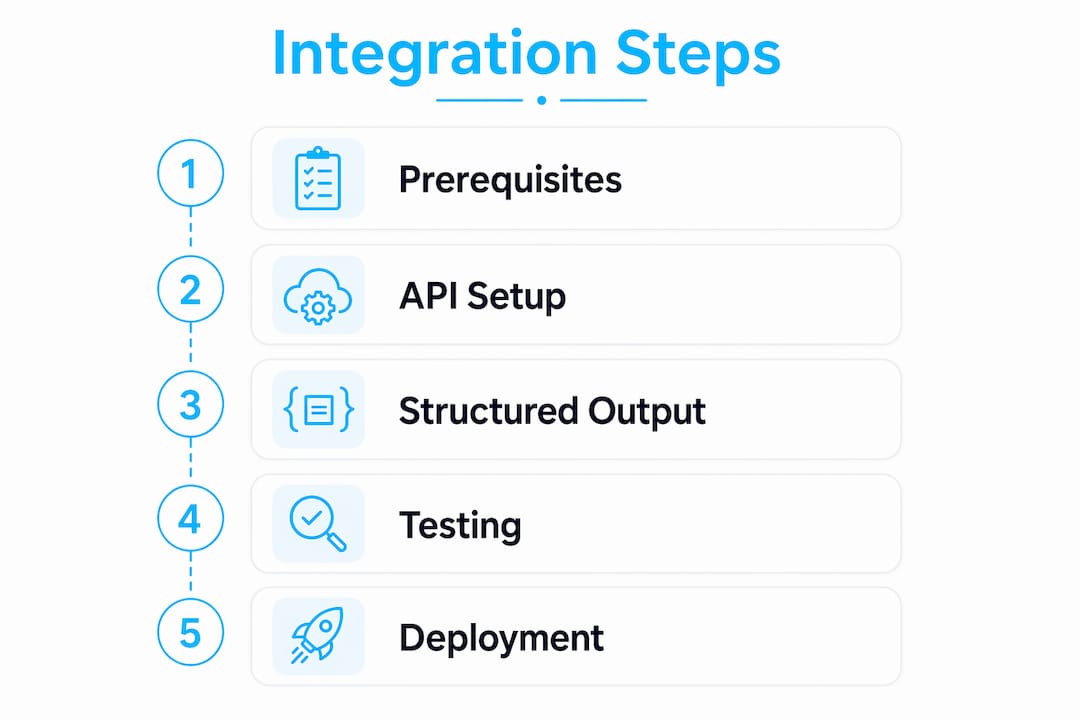
Autonomous CI/CD pipelines require a multi-layer architecture: a trigger layer, an agent runtime, a tool access layer, and human approval gates. Each layer has a distinct responsibility, and mixing them is where most teams create security holes.

The agent runtime is where the reasoning happens. The most effective pattern here is ReAct (Reasoning and Acting), where the agent alternates between reasoning about a situation and taking a concrete action via CLI tools or API calls. A ReAct agent diagnosing a Kubernetes pod failure will reason about the error state, call kubectl describe pod, reason about the output, then either apply a fix or escalate.
Agentic AI enables autonomous control loops that reason, act via CLI tools, and involve human oversight only on complex decisions. This shifts the model from human-in-the-loop (a human approves every action) to human-on-the-loop (a human monitors and can intervene, but the agent runs independently). Human-on-the-loop is the right target for mature teams. Human-in-the-loop is the right starting point while you build trust in the agent’s behavior.
Effective AI DevOps uses separation of concerns: diagnostic agents get broad read access while remediation agents get restricted write permissions. This is not just good security practice. It also makes debugging easier because you know exactly which agent class touched what.
Two additional patterns that belong in every production setup:
- RAG (Retrieval-Augmented Generation): Use RAG approaches to give agents contextual awareness of your runbooks and past incidents. An agent that can retrieve the last three times a specific alert fired will give far better remediation advice than one reasoning from scratch.
- Constitutional AI with policy engines: All LLM decisions must pass through a deterministic policy engine capable of aborting unsafe operations. OPA with Rego policies is the standard implementation. The policy engine is not optional. It is the safety net that makes autonomous agents production-safe.
“The goal is not to remove humans from the loop. The goal is to remove humans from the boring parts of the loop so they can focus on decisions that actually need judgment.”
You can see how OPA fits into this picture in the Devopsaitoolkit guide on policy-as-code enforcement.
How do you troubleshoot and optimize ChatGPT DevOps integrations?
The most common failure mode is not a broken API call. It is an LLM output that looks correct but contains a hallucinated command or an incorrect file path. Validators and sandboxing with OPA/Rego prevent running hallucinated or unsafe code from LLM outputs. Run every generated script through a static validator before execution. Never pipe LLM output directly to bash.
Other issues that will surface in production:
- API rate limits: OpenAI enforces per-minute token limits. Add exponential backoff to your middleware and queue non-urgent requests (like release note generation) outside peak pipeline hours.
- Cost overruns: Log token usage per pipeline run. A single verbose log analysis prompt can consume thousands of tokens. Truncate logs to the relevant failure window before passing them to the API.
- Secrets leakage: Never include environment variables or secrets in prompts. Scrub context before it leaves your pipeline. A pre-prompt sanitizer script is worth the 20 lines of code.
- Stale model behavior: AI models update. A prompt that worked perfectly in january may produce different output in july after a model update. Pin your model version in API calls and schedule quarterly prompt reviews.
- Feedback loop gaps: If engineers ignore AI code review comments, the integration is not working. Track comment acceptance rates. Low acceptance means your prompts are too noisy or too generic.
Pro Tip: Add AI-generated log analysis to your log analysis workflow as a read-only diagnostic step first. It builds team trust before you give the agent any write permissions.
AI integration democratizes operational knowledge by enabling more team members to diagnose and resolve issues without deep infrastructure expertise. That is a real cultural shift. Junior engineers who can read an AI-generated failure diagnosis become productive faster, and senior engineers spend less time on triage.
Key Takeaways
ChatGPT DevOps workflow integration delivers the most value when it targets specific, measurable friction points and is protected by policy engines, scoped permissions, and human approval gates.
| Point | Details |
|---|---|
| Start with prerequisites | Secure API keys, configure MCP servers, and define scoped service accounts before writing pipeline code. |
| Automate the right tasks first | Code review, log analysis, and release notes are the highest-value, lowest-risk starting points. |
| Use multi-layer architecture | Separate trigger, agent runtime, tool access, and approval gate layers to maintain security and debuggability. |
| Enforce policy on every output | Run all LLM-generated commands through OPA or a static validator before execution. |
| Measure and iterate | Track token costs, comment acceptance rates, and false positive rates to improve integration quality over time. |
Why I think most teams integrate ChatGPT backwards
I have watched teams spend weeks building a general-purpose AI assistant for their pipeline before they have identified a single concrete problem it should solve. That is the tool-first trap, and it produces integrations that nobody uses six months later.
The teams that get real value from AI in DevOps start with a specific pain. A deployment review queue that blocks releases for four hours. A failure log that takes a senior engineer 45 minutes to parse. Those are the entry points. You build a focused integration, measure the improvement, and then expand.
The other thing I keep seeing is teams skipping the human-on-the-loop phase entirely. They want full autonomy from day one. That is how you end up with an agent that restarts a production database at 2am because it misread a memory alert. Start with human-in-the-loop. Build trust in the agent’s reasoning over weeks of observation. Then graduate to human-on-the-loop for the tasks where the agent has a proven track record.
The best AI DevOps setups I have seen treat the AI as a very fast, very well-read junior engineer. It needs guardrails, it needs review, and it needs feedback. Give it those things and it will genuinely change how your team operates. Skip them and you will be cleaning up its mistakes instead.
— James
AI workflows built for real cloud engineers
Devopsaitoolkit is built specifically for engineers managing production infrastructure with Linux, Kubernetes, GitLab, Prometheus, and OpenStack. Every resource is practical and tested in real environments.
The AI workflows and prompt packs at Devopsaitoolkit give you ready-to-use building blocks for exactly the kind of integrations covered here. The Linux Admin Prompt Pack includes 100 battle-tested prompts for operational tasks, from log triage to configuration audits. If you are building Bash-based middleware for your pipeline, the Bash logging library prompt gives you a structured starting point that handles log levels cleanly from day one.
FAQ
What is ChatGPT DevOps workflow integration?
ChatGPT DevOps workflow integration connects OpenAI’s language model APIs to CI/CD pipelines and infrastructure tools to automate code review, log analysis, and release documentation. It replaces manual cognitive work with AI-driven decisions inside existing DevOps toolchains.
How does Model Context Protocol (MCP) help with AI integration?
MCP provides a standardized, secure communication layer between LLMs and CI/CD platforms, removing the need for custom context-passing logic in every integration. It is the current industry standard for connecting AI models to DevOps tools without manual context switching.
Is it safe to let ChatGPT execute commands in production?
Direct execution without validation is not safe. Use Open Policy Agent with Rego policies to gate every LLM-generated command, and start with read-only diagnostic agents before granting any write permissions to remediation agents.
What tasks should I automate with ChatGPT first?
Start with pull request code review, failure log analysis, and release note generation. These tasks are high-value, low-risk, and produce measurable results that build team confidence in the integration.
How do I control API costs in a ChatGPT DevOps setup?
Log token usage per pipeline run, truncate log inputs to the relevant failure window, and queue non-urgent tasks outside peak hours. Pinning your model version also prevents unexpected cost increases from model updates.
Recommended
- ChatGPT vs Claude for Infrastructure Engineers — DevOps AI ToolKit
- ChatGPT vs Claude for DevOps: Which AI Assistant Wins in
- n8n for DevOps Workflow Automation: A Hands-On Guide
- Orchestrating Multi-Project Pipelines in GitLab Without the
Get 500 Battle-Tested DevOps AI Prompts — Free
500 battle-tested, copy-paste AI prompts engineered by a senior systems engineer — every one with fill-in placeholders and safety/back-out notes. Drop your email and it's yours.
- 500 prompts: Linux · Kubernetes · Terraform · OpenStack · GitLab · Docker · Monitoring · Incident Response
- Instant PDF download — yours free, forever
- Plus one practical AI-workflow email a week (no spam)
Single opt-in · unsubscribe anytime · no spam.