
6 Step Safety First Playbook to Run AI for Terraform for Engineers
Practical safety first playbook for engineers using AI with Terraform. Includes MCP aware prompts, verifier backed tests, CI gates, and copy ready prompt...

AI speeds up Terraform work, drafting modules, summarizing plans, spotting drift, but it should never touch apply without a human in the loop. The safe pattern is simple: generate, then validate, plan, run policy checks, and only then approve. Quick wins live in module scaffolding, plan summarization, and drift analysis, not in unattended provisioning.
TL;DR:
- AI can assist with module scaffolding, plan summarization, and drift detection but should never bypass human validation before applying changes.
- Use a guarded workflow where AI-generated plans are reviewed, verified with policy tools, and only then approved for execution through CI pipelines.
- Proper prompt design, strict access controls, and logging are essential to prevent mistakes and maintain auditability in AI-assisted Terraform workflows.
- Relying on current provider registries via MCP servers ensures AI has accurate, up-to-date schemas to avoid hallucinated attributes and incorrect resource changes.
- The long-term success depends on disciplined processes and refined prompts, not just on advanced models or agent setups.
Table of Contents
- What Does “AI for Terraform” Actually Mean?
- Which Tools and Integrations Actually Support This Workflow?
- What Does a Safe AI-Driven Terraform Workflow Look Like?
- What Prompt Patterns Actually Produce Usable Terraform Code?
- What Validation and Policy Checks Catch AI Mistakes Before They Ship?
- Why Do AI-Generated Terraform Changes Go Wrong?
- How Do You Pilot This Safely in the First Week?
- What Actually Determines Whether This Works Long-Term?
- Get Your Terraform AI Workflow Running This Week
- Key Docs and Research to Read Next
- Sources
What Does “AI for Terraform” Actually Mean?
“AI for Terraform” covers two very different things, and mixing them up is where trouble starts. The first is LLM-assisted editing: a co-pilot that drafts HCL, explains a plan, or suggests a fix while you stay at the keyboard. The second is agentic provisioning, where a model chains steps together (write, validate, plan, sometimes apply) with minimal human checkpoints. Only the first is safe to run loosely today.
The connective tissue between models and Terraform is the Model Context Protocol server, a standard HashiCorp and major cloud providers now support so an LLM can query live provider schemas straight from the registry instead of guessing from stale training data. When your editor sends a query tagged #terraform, the MCP server routes it to authoritative provider documentation, which matters enormously for fast-moving providers like azurerm or aws.
In practice, engineers use AI for Terraform in four recurring ways: scaffolding new modules from a description, translating a raw terraform plan into a plain-language summary, flagging drift between state and live infrastructure, and provisioning specialized resources such as machine learning infrastructure where provider syntax is dense and easy to get wrong. Each use case sits comfortably in the co-pilot category. None of them justify skipping the verification steps covered later.
Which Tools and Integrations Actually Support This Workflow?
MCP servers are the backbone of any serious AI-for-Terraform setup right now. HashiCorp’s own documentation shows concrete prompt invocation patterns for pulling provider resource lists and example configurations directly through the server, which means your model is reasoning against the current registry, not a training snapshot from months ago.
Beyond MCP, the tooling landscape splits into a few practical layers:
- Editor and IDE assistants. GitHub Copilot and Amazon CodeWhisperer both handle inline HCL autocomplete and chat-based code generation reasonably well, especially for boilerplate like variable blocks, provider configs, and tagging conventions.
- CLI wrappers and agent frameworks. Some teams wrap LLM calls around the Terraform CLI to automate the write-validate-plan sequence, but the agent should stop before apply every time.
- Governance layers. Policy-as-code tools and CI run tasks enforce the guardrails that keep AI output from reaching production unchecked.
- Provider registries as ground truth. Resource pages like
azurerm_machine_learning_workspaceoraws_sagemaker_modelshow exactly what AI-provisionable resources look like in practice, which is useful context to feed a model directly.
None of these tools replace judgment. They compress the time between “I need a module” and “I have something worth reviewing.”
What Does a Safe AI-Driven Terraform Workflow Look Like?
A guarded agent pattern, documented in a KodeKloud walkthrough on building a Terraform provisioning agent in Go, treats write, init, validate, and plan as read-only reconnaissance steps. Apply and destroy stay locked behind an explicit human gate every time, with no exceptions for “small” changes.
The control loop looks like this:
- AI (or you) writes or edits HCL based on a scoped prompt.
- Run
terraform initandterraform validateto catch syntax and type errors immediately. - Run
terraform plan -out=tfplanand convert it to JSON withterraform show -json tfplan. - Feed the plan JSON to a model or script for a plain-language summary and a resource-count diff.
- A human reviews the summary, checks for unexpected destroys, and approves.
- Only then does
terraform applyrun, ideally through a CI pipeline with logged output.
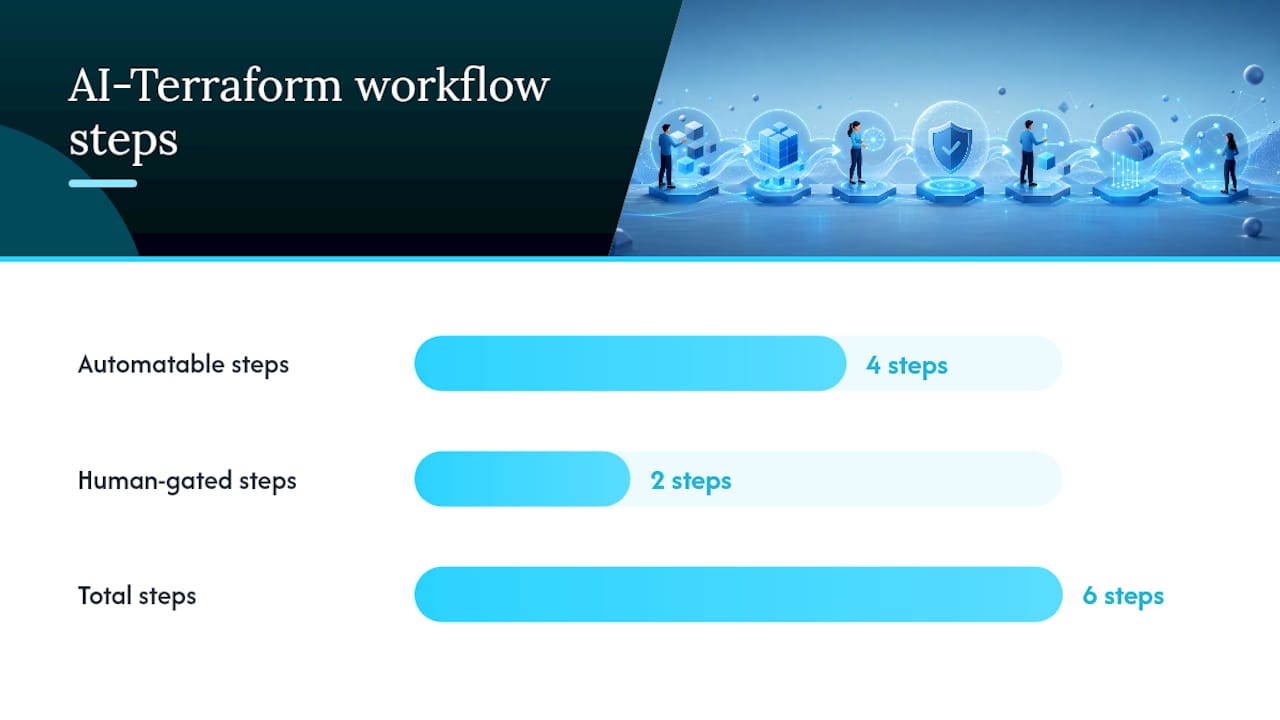
Automate steps one through four freely. Gate steps five and six behind a real person, every single time, no matter how routine the change looks.
Credentials matter just as much as process. Any service account or CI role touching AI-assisted pipelines should run with least-privilege scoping, separate from your break-glass production credentials, and should never have standing apply rights outside an approved pipeline. Tie every apply to a CI/CD run ID, store the plan JSON as a build artifact, and log who clicked approve. That audit trail is what turns “an AI wrote this” into a defensible change record.
Pro Tip: Store the plan JSON artifact even for changes you reject. A rejected plan tells you exactly what pattern of prompt or module input produced a bad diff, which makes your next prompt sharper.
What Prompt Patterns Actually Produce Usable Terraform Code?
A good Terraform prompt has five parts: the context (cloud provider, existing module structure), constraints (naming conventions, required tags, region restrictions), security requirements (no hardcoded secrets, use variables for sensitive inputs), and the expected output format. Skip any of these and you get generic HCL that needs heavy rework.
A few templates worth keeping on hand, adapted from patterns ControlMonkey has published for common Terraform AI tasks:
- Module scaffold: “Generate a Terraform module for an AWS S3 bucket with versioning enabled, server-side encryption, and a
variableblock for bucket name, tags, and lifecycle rules. No hardcoded values.” - Magic value cleanup: “Refactor this HCL to replace all hardcoded strings and numbers with named variables, matching this naming convention:
<env>_<resource>_<attribute>.” - Plan summary: “Summarize this terraform plan JSON output. List resources being created, updated, and destroyed, and flag any destroy actions on resources tagged
production.” - Drift categorization: “Compare this state snapshot to this plan diff and categorize each change as configuration drift, manual console edit, or expected update.”
The DevOps AI Toolkit’s Terraform prompt collection has ready versions of these you can adapt instead of writing from scratch.
Treat every prompt as a first draft, not a final answer. The tightest workflow generates scaffolding, refines the specific module you actually need, adds tests, then validates, rather than trying to prompt an entire environment in one shot.
Pro Tip: Keep a running file of prompts that worked well against your actual module patterns. Generic prompt libraries get you started; your own refined versions get you fast.
What Validation and Policy Checks Catch AI Mistakes Before They Ship?
Run terraform validate first, always. It catches syntax and type errors instantly and costs nothing. Then generate a plan and inspect it as JSON rather than scrolling through console output. Parsing plan JSON programmatically makes it possible to script checks like “no destroy actions on resources tagged production” instead of relying on a human catching it by eye.
Static analysis closes the gaps validate can’t see:
- tfsec scans for common security misconfigurations like open security groups or unencrypted storage.
- Checkov adds broader policy coverage across cloud providers and compliance frameworks.
- OPA and Sentinel enforce organization-specific policy as code, blocking applies that violate rules your validate step doesn’t know about.
There’s a deeper reason these checks matter for AI-generated code specifically. TerraFormer’s research on verifier-guided IaC generation found that adding verifier-based checks during model training substantially improved the correctness of natural-language-to-infrastructure-as-code output compared to ungoverned generation. The practical takeaway translates directly to your pipeline: treat every AI-generated module like an untrusted pull request and run the exact same automated checks you’d run against a junior engineer’s first submission.
Why Do AI-Generated Terraform Changes Go Wrong?
The most common failure mode is a hallucinated attribute, a field the model invents because it sounds plausible but doesn’t exist on that resource, or a computed value the model treats as settable when Terraform actually derives it at apply time. Either mistake can trigger an unnecessary resource replacement, which for a database or load balancer means real downtime.
A second pattern shows up with imports. When AI-generated code doesn’t match a resource already under management, Terraform’s default reaction is to plan a destroy-and-recreate instead of a safe update, especially if the model didn’t account for existing lifecycle blocks or ignored attributes.
Mitigations that actually hold up:
- Add
lifecycle { prevent_destroy = true }to any resource where an accidental destroy would be costly. - Import existing resources properly before letting AI touch modules that manage them.
- Run AI-suggested changes against a sandbox or dev workspace first, never straight against production state.
- Restrict the credentials any AI-assisted pipeline uses to the minimum scope it needs.
When a plan looks unexpectedly destructive, stop and check the diff for attributes marked # forces replacement, then cross-reference against the provider’s own resource documentation before touching anything else.
Pro Tip: If a plan shows a destroy you didn’t expect, check whether the AI-suggested change touched a computed attribute like an ARN or a generated ID. That’s the single most common cause of an accidental replace.
How Do You Pilot This Safely in the First Week?
- Lock provider versions and run
terraform fmtandterraform validateacross the target repo. - Enable remote state for the pilot workspace so plan history is shared and auditable.
- Add a CI job that runs
terraform plan, exports JSON, and blocks merges containing unreviewed destroy actions. - Install an MCP-enabled editor plugin and test scaffold prompts in an isolated sandbox workspace, not shared infrastructure.
Keep the pilot scoped to one module and one team before expanding.
What Actually Determines Whether This Works Long-Term?
The teams getting real value from AI-driven Terraform work aren’t the ones with the fanciest agent setup. They’re the ones who treated the CI gate as non-negotiable from day one and refused to let a single “just this once” apply skip validation. That discipline matters more than which model you use.
What’s underrated: the quality of your prompt library compounds faster than the quality of your model choice. A well-tuned prompt against your actual naming conventions and module patterns will outperform a generic prompt run through a newer model almost every time. Start with a narrow pilot, feed real module patterns back into your prompts, and let the CI gate do the boring work of catching what a tired reviewer might miss on a Friday afternoon.
— James
Get Your Terraform AI Workflow Running This Week
Every workflow described above gets faster with a prompt library that already matches production patterns instead of generic AI output you have to rewrite from scratch. The Terraform AI prompt collection covers module scaffolding, plan summarization, and drift categorization prompts built around the same generate-validate-plan-approve loop this article walks through, so you’re not starting from a blank prompt window.

If your team also manages Linux infrastructure alongside Terraform, the Linux Admin Prompt Pack covers the adjacent operational side with the same copy-paste, production-tested approach. Pull a handful of prompts into a sandbox workspace this week, run them against a real module, and see how much rework they save before you touch a shared repo.
Key Docs and Research to Read Next
For deeper reading, start with HashiCorp’s Terraform MCP documentation for prompt invocation patterns, the TerraFormer paper on verifier-guided IaC generation, the azurerm and aws provider Registry pages for resource-level detail, and Microsoft Learn’s Terraform quickstart for Azure Machine Learning workspace provisioning.
Sources
- HashiCorp and hyperscalers add MCP servers for Terraform
- TerraFormer: verifier-guided framework for IaC generation and mutation
- Prompt a model connected to the Terraform MCP server | Terraform | HashiCorp Developer
- Create and manage Azure Machine Learning workspaces with Terraform
Recommended
- Running Terraform Safely in CI/CD Pipelines
- Designing Terraform Modules With AI as a Junior Engineer
- Analyzing Terraform Plan Blast Radius With AI Before You
- Onboarding to a Huge Terraform Codebase With AI
Get 500 Battle-Tested DevOps AI Prompts — Free
500 battle-tested, copy-paste AI prompts engineered by a senior systems engineer — every one with fill-in placeholders and safety/back-out notes. Drop your email and it's yours.
- 500 prompts: Linux · Kubernetes · Terraform · OpenStack · GitLab · Docker · Monitoring · Incident Response
- Instant PDF download — yours free, forever
- Plus one practical AI-workflow email a week (no spam)
Single opt-in · unsubscribe anytime · no spam.