
AI-Assisted Code Review Explained for Developers
Discover how AI-assisted code review works to catch bugs and improve code quality. Explore the benefits in our guide: AI-assisted code review explained.

AI-assisted code review is the automated inspection of code changes using machine learning models to catch bugs, security risks, and style issues faster than manual review alone. The industry term for this practice is “automated code review,” and it sits at the intersection of static analysis, large language models (LLMs), and CI/CD integration. Benchmarks show that leading AI code review tools detect between 42% and 48% of production bugs before a human reviewer ever opens the pull request. That number tells you something important: AI handles the mechanical triage, and your senior engineers handle the judgment calls. This guide covers how these tools work, what they can and cannot do, and how to integrate them without drowning your team in noise.
How does AI-assisted code review work?
The process starts the moment a developer opens a pull request. The tool fetches the diff, breaks it into atomic hunks, and passes each chunk through a pipeline that combines static analysis with LLM reasoning.
Here is the typical sequence:
- Diff ingestion. The tool pulls the raw diff from your Git provider (GitHub, GitLab, Bitbucket) and parses it into structured hunks. Each hunk maps to specific line numbers in the changed file.
- Static analysis pass. Linters and rule-based engines run first. They flag obvious issues like unused imports, missing null checks, or known anti-patterns. This layer is fast and deterministic.
- LLM reasoning pass. The diff hunks, along with surrounding context, are sent to an LLM. The model reasons about logic errors, security smells, and test coverage gaps that rule-based tools miss.
- Hallucination guard. A secondary validation step checks that every AI comment references a line that actually exists in the diff. Hallucination guards prevent the model from inventing references to code that was never changed.
- Output generation. The tool posts line-anchored comments with severity tags, suggested fixes, and a PR summary explaining why each issue matters.
The entire process typically completes in seconds to two minutes per pull request. That speed is the core value proposition: your team gets a first-pass triage before any human spends time on the review.
Pro Tip: Prompt engineering matters more than most teams realize. Craft your system prompt to tell the LLM what language, framework, and severity threshold you care about. A generic prompt produces generic noise.

What benefits and limitations should developers expect?
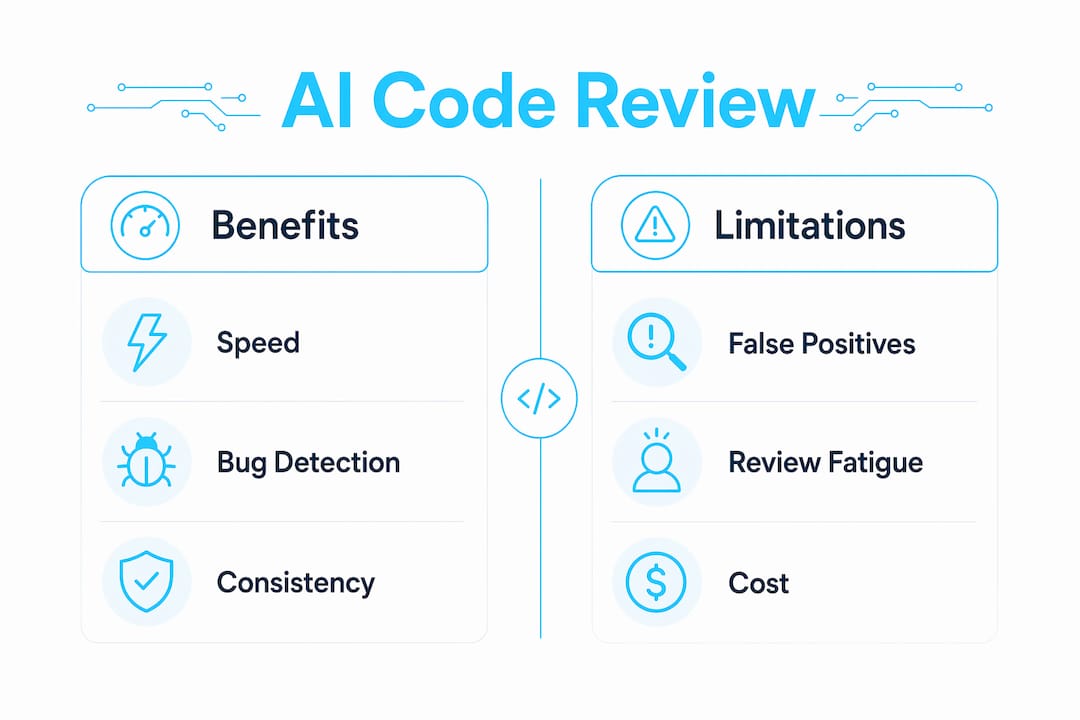
AI-assisted code review delivers real, measurable gains in specific areas. It also has hard limits that you need to understand before you rely on it.
Where AI code review wins:
- Mechanical bug detection. Off-by-one errors, null pointer dereferences, and resource leaks show up consistently. These are the issues that eat review time without requiring deep architectural knowledge.
- Security smell identification. Hardcoded credentials, SQL injection patterns, and insecure deserialization are pattern-match problems. AI tools catch them reliably.
- Test coverage gaps. Some tools flag when a changed function has no corresponding test update, which is a check most human reviewers skip under deadline pressure.
- Review latency reduction. Automated AI review reduces review latency and lets human reviewers focus on architecture and business logic. Teams ship faster because trivial back-and-forth disappears.
Where AI code review falls short:
- Architectural decisions. The model has no memory of your system’s history. It cannot tell you whether a new service boundary makes sense given your team’s six-month roadmap.
- Cross-PR semantic analysis. AI tools review one diff at a time. They miss regressions that only appear when two separate changes interact.
- Business logic correctness. The model does not know what your product is supposed to do. It can spot a logic error in isolation, but it cannot verify that the logic matches the product requirement.
“AI reviewer noise leads to review fatigue. Tuning to flag only high-impact issues like security smells and logic errors is the difference between a useful tool and one your team learns to ignore.”
The review fatigue problem is real. Teams that leave AI tools on default settings often see developers start dismissing all AI comments, including the valid ones. Tuning is not optional.
Architectural approaches behind AI code review tools
The tools that perform best use a hybrid architecture. They do not rely on LLMs alone, and they do not rely on static analysis alone. Successful AI code review systems combine deterministic engineering with generative LLM reasoning to cover both basic enforcement and deep contextual analysis.
The two primary architectural patterns look like this:
| Approach | How it works | Best for |
|---|---|---|
| Rule-based static analysis | Linters and rulesets run against every diff; output is deterministic and fast | Style enforcement, known anti-patterns, syntax errors |
| Hybrid LLM + static analysis | Static layer runs first, then LLM reasons over flagged hunks and full context | Logic errors, security smells, test gap detection |
The hybrid approach wins on accuracy, but it costs more to run. Large diffs generate large token counts, and token costs add up fast. Batching and prompt caching can reduce token costs by up to 90% on large pull requests. That is not a minor optimization. On a team processing hundreds of PRs per week, it is the difference between a sustainable tool and one that gets shut down for budget reasons.
Prompt caching works by storing the system prompt and static context so the model only processes the new diff content on each call. Batching groups small hunks together to minimize API round trips. Both techniques belong in any production-grade implementation.
Pro Tip: Map your diffs into atomic hunks before sending them to the LLM. Smaller, focused chunks produce more accurate comments and cost less to process than sending an entire 500-line diff as one block.
For a concrete example of this architecture in practice, the Terraform PR review bot guide on Devopsaitoolkit walks through a real implementation with line-anchored comments and CI/CD integration.
How can teams integrate AI code review into their workflow?
Getting started is genuinely fast. Setup time ranges from 30 seconds for self-hosted configurations to 15 minutes for enterprise deployments, with costs ranging from free (local LLM usage) to $19 per user per month for SaaS options. The technical barrier is low. The configuration barrier is where most teams stumble.
Follow this sequence to avoid the common failure modes:
- Start with a single repository. Do not roll out AI review across your entire organization on day one. Pick one active repo, run the tool for two weeks, and measure false positive rates before expanding.
- Tune severity thresholds immediately. Set the tool to flag only
highandcriticalseverity issues in the first month. Addmediumseverity after your team trusts the signal. - Keep AI as first-pass triage, not merge gatekeeper. AI review runs before human review, not instead of it. Never configure the tool to block merges based on AI findings alone.
- Integrate into CI/CD at the PR stage. Trigger the AI review job on pull request open and on each new commit push. Running it only on open misses iterative fixes.
- Review the AI’s output weekly. Track which comment categories your team dismisses most often. Those categories are candidates for suppression or threshold adjustment.
For teams already running GitLab pipelines, the AI-assisted GitLab CI refactor guide on Devopsaitoolkit shows how to wire AI review into an existing .gitlab-ci.yml without breaking production deployments.
A few additional practices that separate teams who get value from teams who give up:
- Use the AI summary comment as the PR description template. It saves the author time and gives reviewers context immediately.
- Suppress style-only comments if you already run a formatter like
black,prettier, orgofmtin CI. Duplicate noise is the fastest way to lose team trust. - Log every AI comment and its resolution (accepted, dismissed, or modified). That data lets you tune the tool with evidence instead of gut feel.
The AI-assisted Ansible merge request review on Devopsaitoolkit is a good reference for what a well-tuned AI review output looks like in a real infrastructure-as-code context.
Key takeaways
AI-assisted code review works best as a first-pass triage layer that handles mechanical detection, freeing human reviewers for architectural and business logic decisions.
| Point | Details |
|---|---|
| Detection rates are real but limited | AI tools catch 42–48% of production bugs; human review remains required for the rest. |
| Hybrid architecture outperforms LLMs alone | Combining static analysis with LLM reasoning covers both deterministic checks and context-aware insights. |
| Tuning prevents review fatigue | Configure severity thresholds early; suppress low-value comments before they erode team trust. |
| Cost control requires batching | Prompt caching and diff batching can cut token costs by up to 90% on large pull requests. |
| AI is triage, not gatekeeper | Never block merges on AI findings alone; keep human oversight as the final decision point. |
What I’ve learned from running AI code review on real infrastructure
I’ve run AI-assisted review on Terraform, Ansible, and GitLab CI pipelines, and the pattern is always the same: the first week feels like magic, and the third week feels like noise management.
The tools are genuinely good at catching what I call “3 AM mistakes.” Null checks you forgot, a variable shadowing another, a hardcoded endpoint that should be an environment variable. Those catches are real and they save real time. I’ve had AI flag a SQL injection pattern in a PR that two senior engineers had already approved. That is not a small thing.
The frustration comes when teams treat the tool as an authority instead of an assistant. I’ve seen engineers dismiss valid human review comments because “the AI didn’t flag it.” That is exactly backwards. The AI has no idea what your system is supposed to do. It knows what looks wrong in isolation. Your senior engineers know what is wrong in context.
The other lesson: false positives are a configuration problem, not a tool problem. Every AI code review tool I’ve used ships with defaults tuned for breadth, not precision. You have to tune it. If you skip that step, your team will mute the bot within a month, and you’ll have wasted the integration effort.
My honest recommendation: treat AI code review the way you treat AI in DevOps automation. Keep humans in control. Use the AI to reduce the volume of trivial work, not to replace the judgment that makes your team good.
— James
AI workflows and code review resources at Devopsaitoolkit
Devopsaitoolkit publishes practical AI workflows built for engineers managing real production infrastructure, not toy examples.

The AI workflows library covers prompt libraries, tool reviews, and automation guides for GitLab, Kubernetes, Prometheus, and more, including hands-on code review integrations. If you are evaluating whether a paid plan makes sense for your team, the pricing page breaks down what each tier includes so you can match it to your actual PR volume and toolchain. The guides are written by engineers who run these workflows in production, so the tradeoffs are real.
FAQ
What is AI-assisted code review?
AI-assisted code review is the automated analysis of pull request diffs using machine learning models to detect bugs, security issues, and style violations before human reviewers engage. It complements human review rather than replacing it.
How accurate are AI code review tools?
Benchmark results show that leading AI code review tools detect between 42% and 48% of production bugs. That makes them effective for triage, but human review remains required for architectural and business logic correctness.
How long does an AI code review take to run?
Most AI code review tools analyze a pull request in seconds to two minutes. Processing time depends on diff size and whether the tool uses batching and prompt caching to handle large changesets efficiently.
What is review fatigue in AI code review?
Review fatigue happens when an AI tool posts too many low-value comments, causing developers to ignore all AI feedback, including valid findings. Tuning severity thresholds to surface only high-impact issues prevents this problem.
Can AI code review replace human reviewers?
AI code review does not replace human reviewers. It handles mechanical detection of common bugs and security patterns, but architectural decisions, cross-PR analysis, and business logic verification still require human judgment.
Recommended
- AI-Assisted Review of an Ansible Merge Request
- Writing an Internal Incident Review With AI (For Engineers
- Running an AI-Assisted AWS Well-Architected Review
- Building an AI Terraform PR Review Bot That Can’t Touch Your
Get 500 Battle-Tested DevOps AI Prompts — Free
500 battle-tested, copy-paste AI prompts engineered by a senior systems engineer — every one with fill-in placeholders and safety/back-out notes. Drop your email and it's yours.
- 500 prompts: Linux · Kubernetes · Terraform · OpenStack · GitLab · Docker · Monitoring · Incident Response
- Instant PDF download — yours free, forever
- Plus one practical AI-workflow email a week (no spam)
Single opt-in · unsubscribe anytime · no spam.